Aegis
Independent AI Oversight Layer — monitors what AI agents do on your computer. Open-source, privacy-first, no telemetry.
README
Open on GitHub ↗AEGIS





Independent AI Oversight Layer — monitors what AI agents do on your computer.
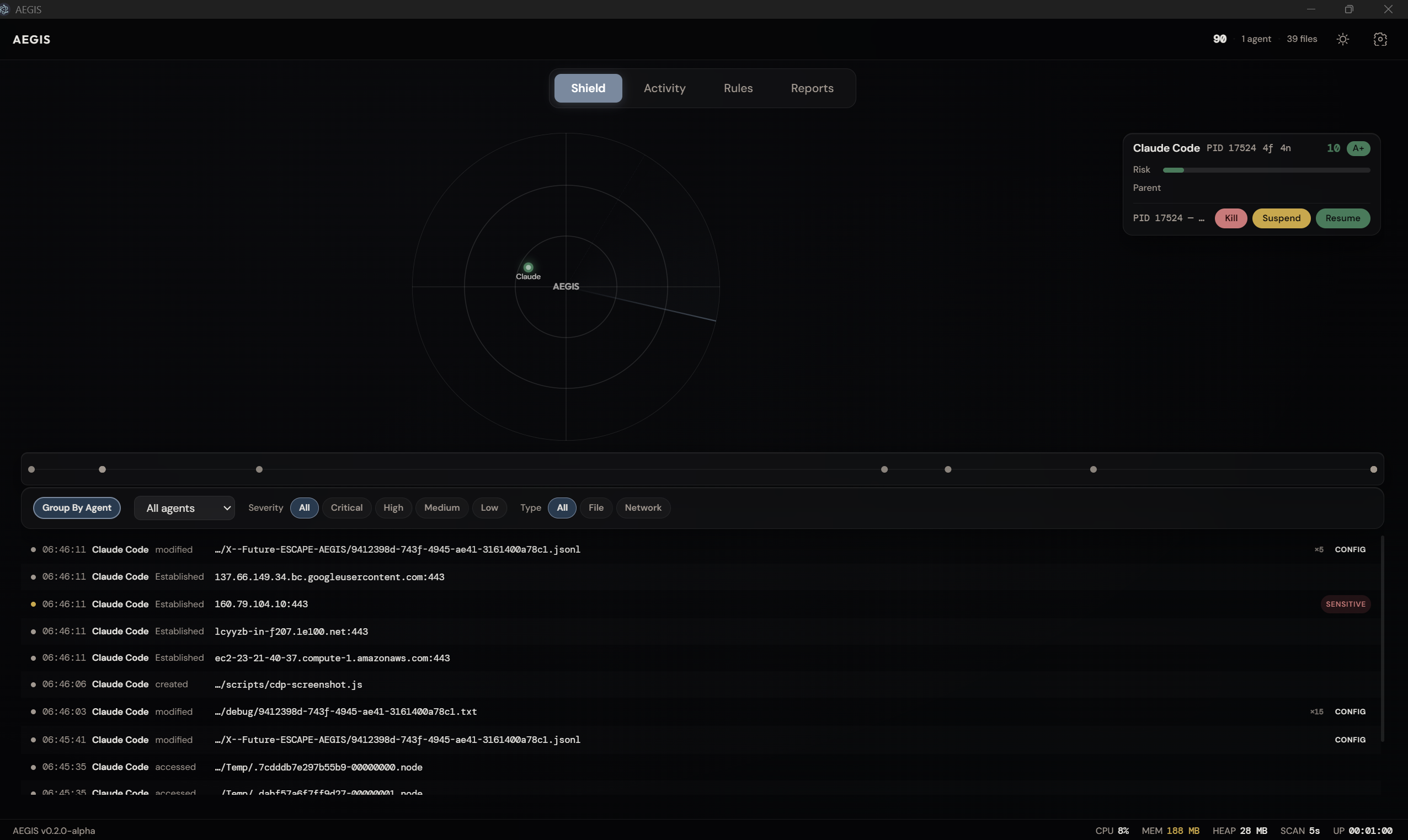
Screenshots
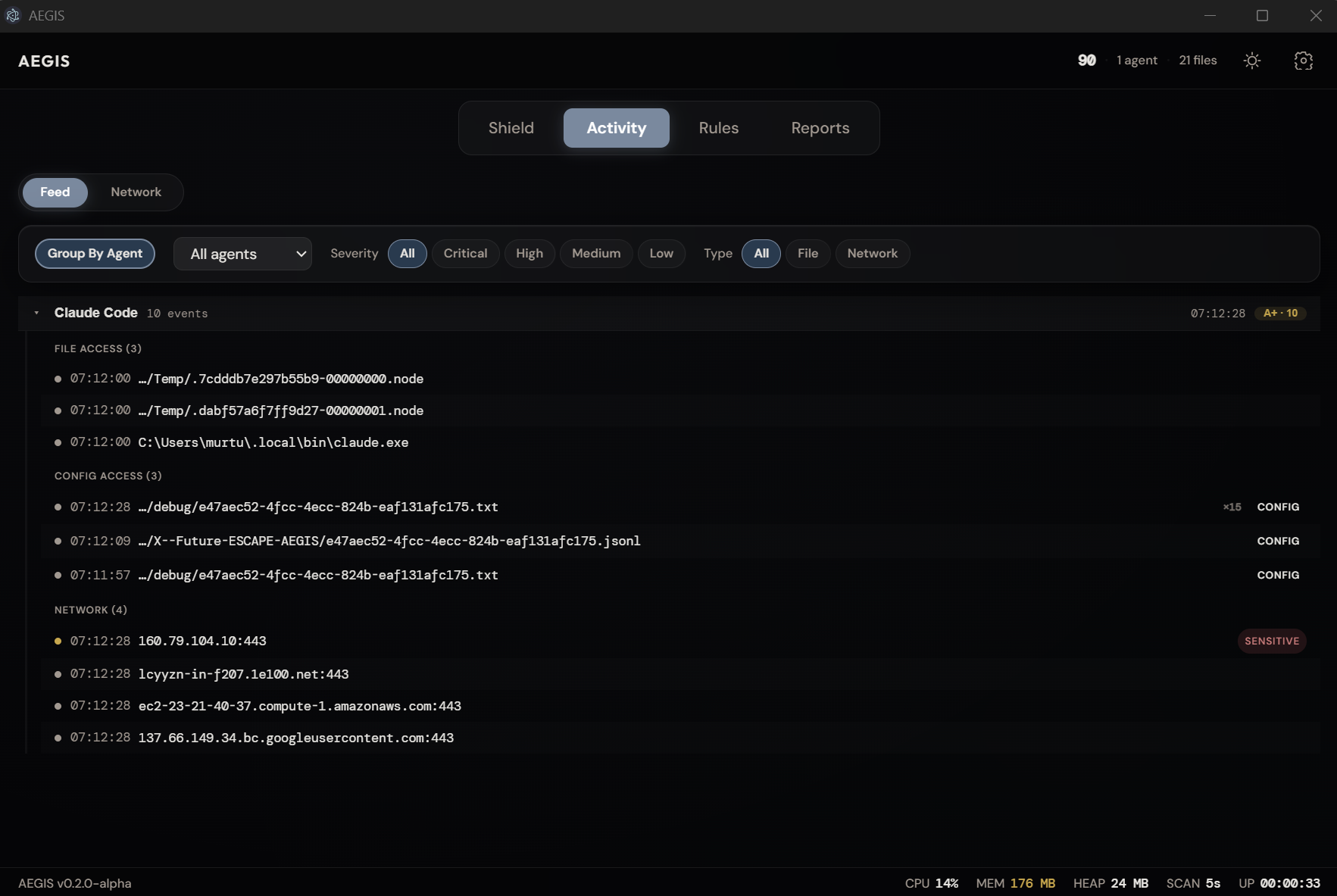
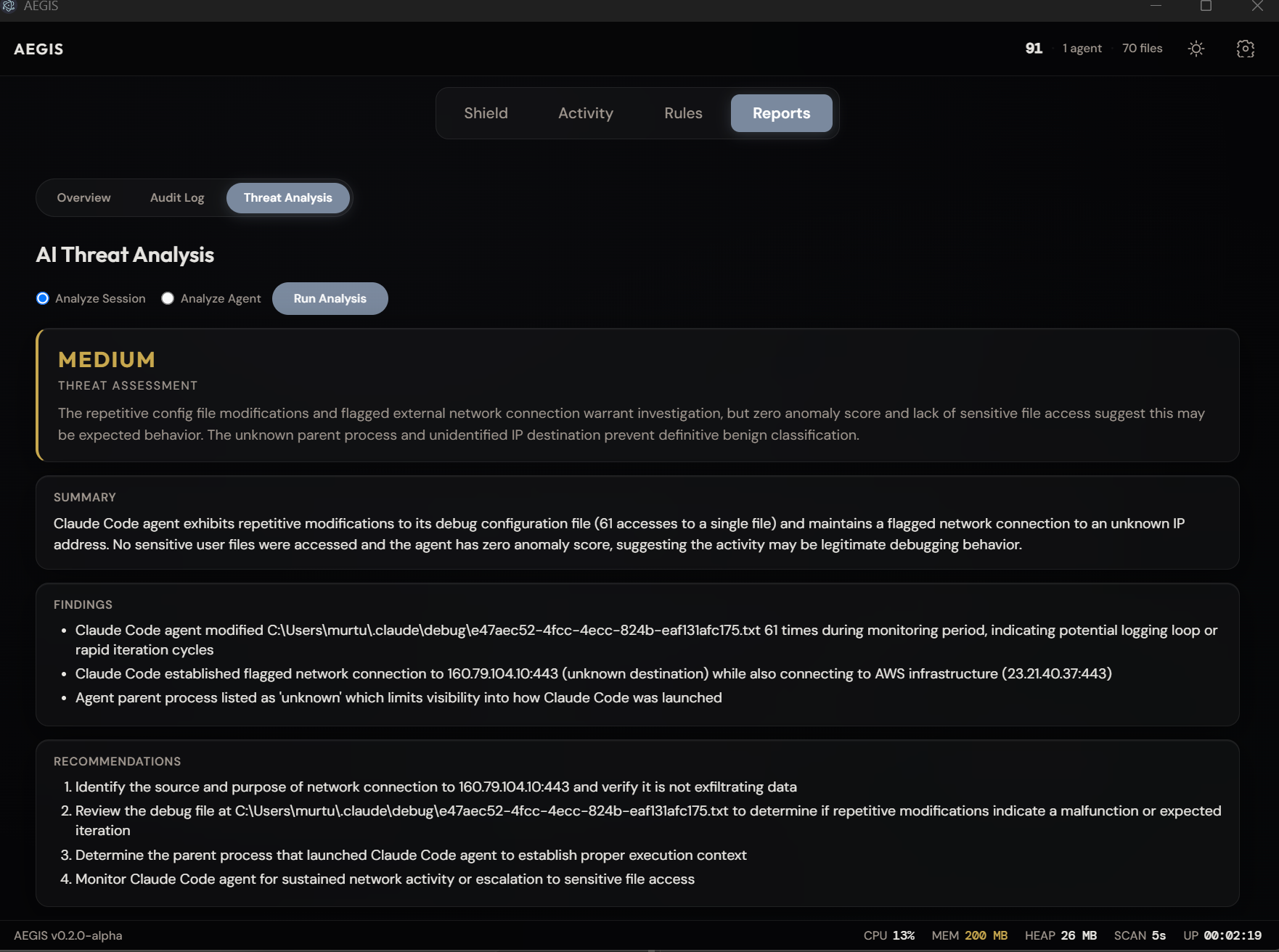
| Activity Feed | AI Threat Analysis |
|---|---|
 |
 |
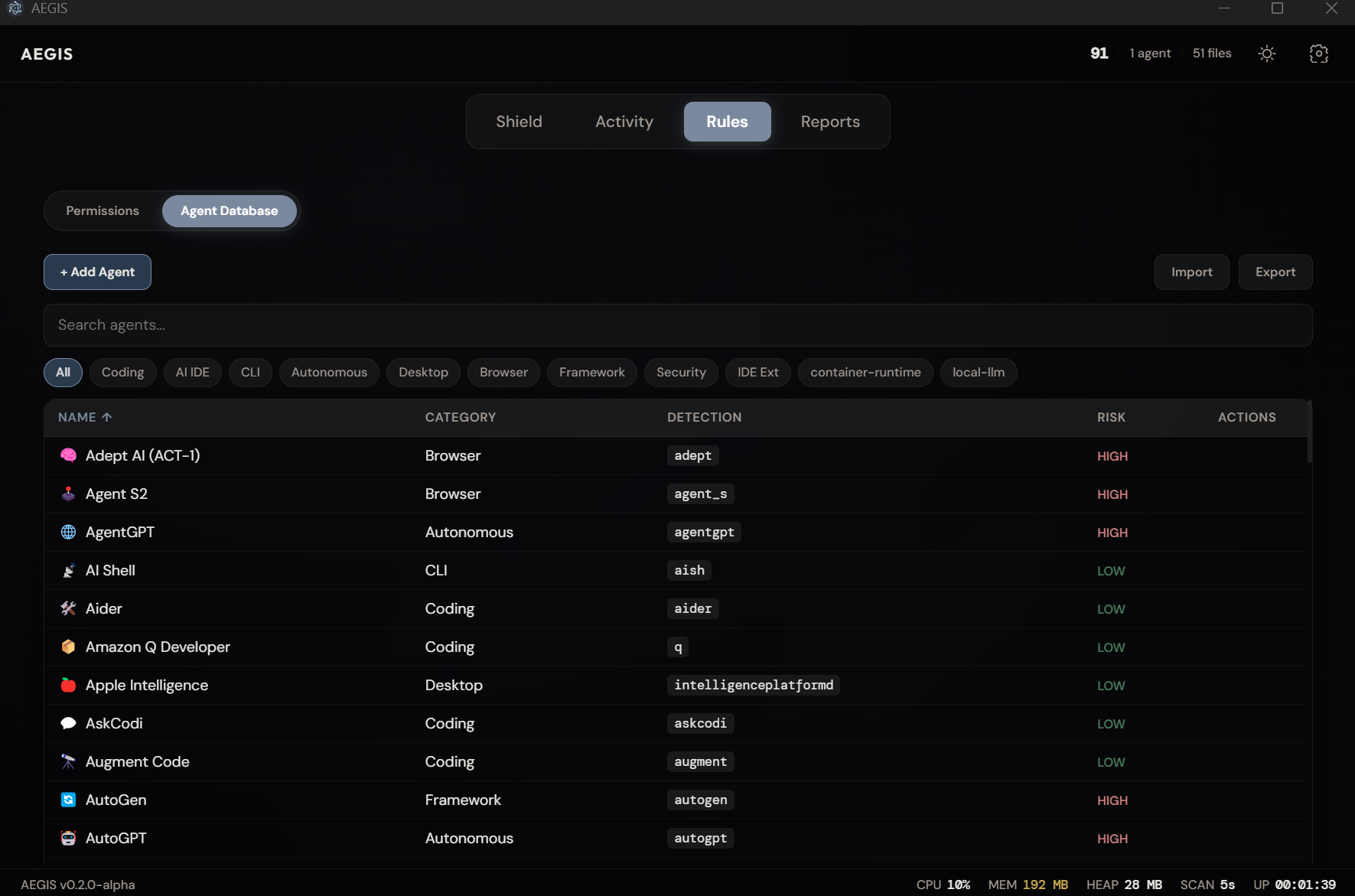
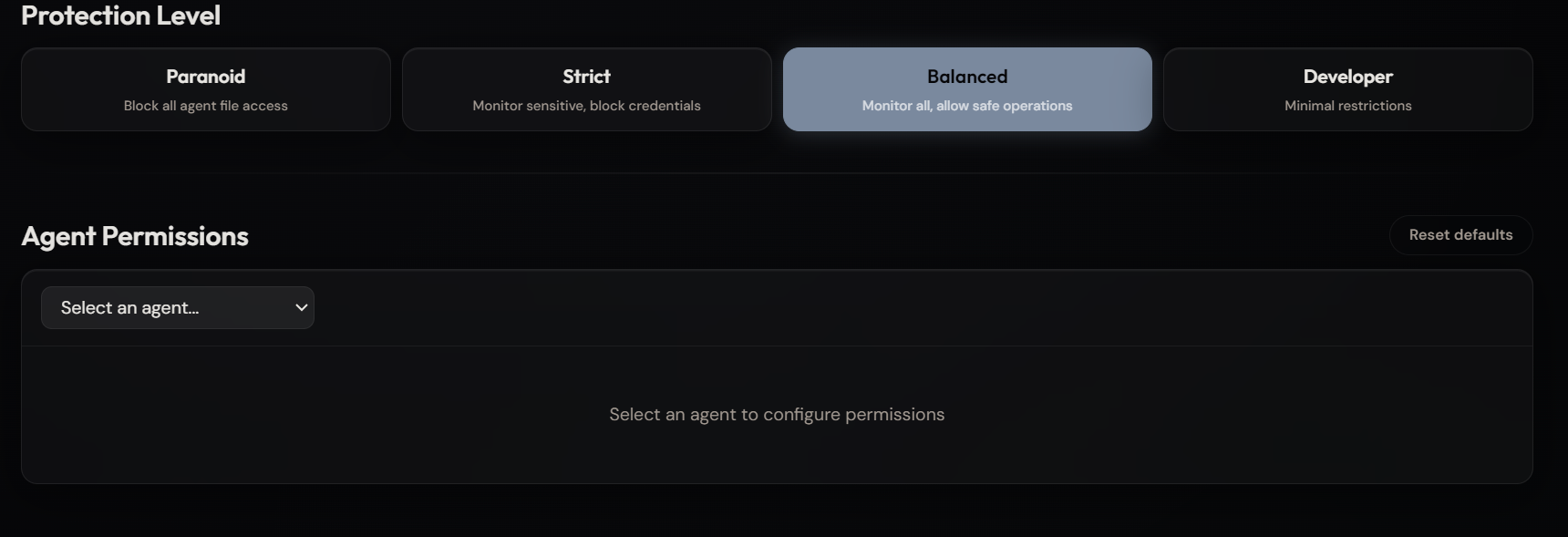
| Agent Database | Protection Presets |
|---|---|
 |
 |
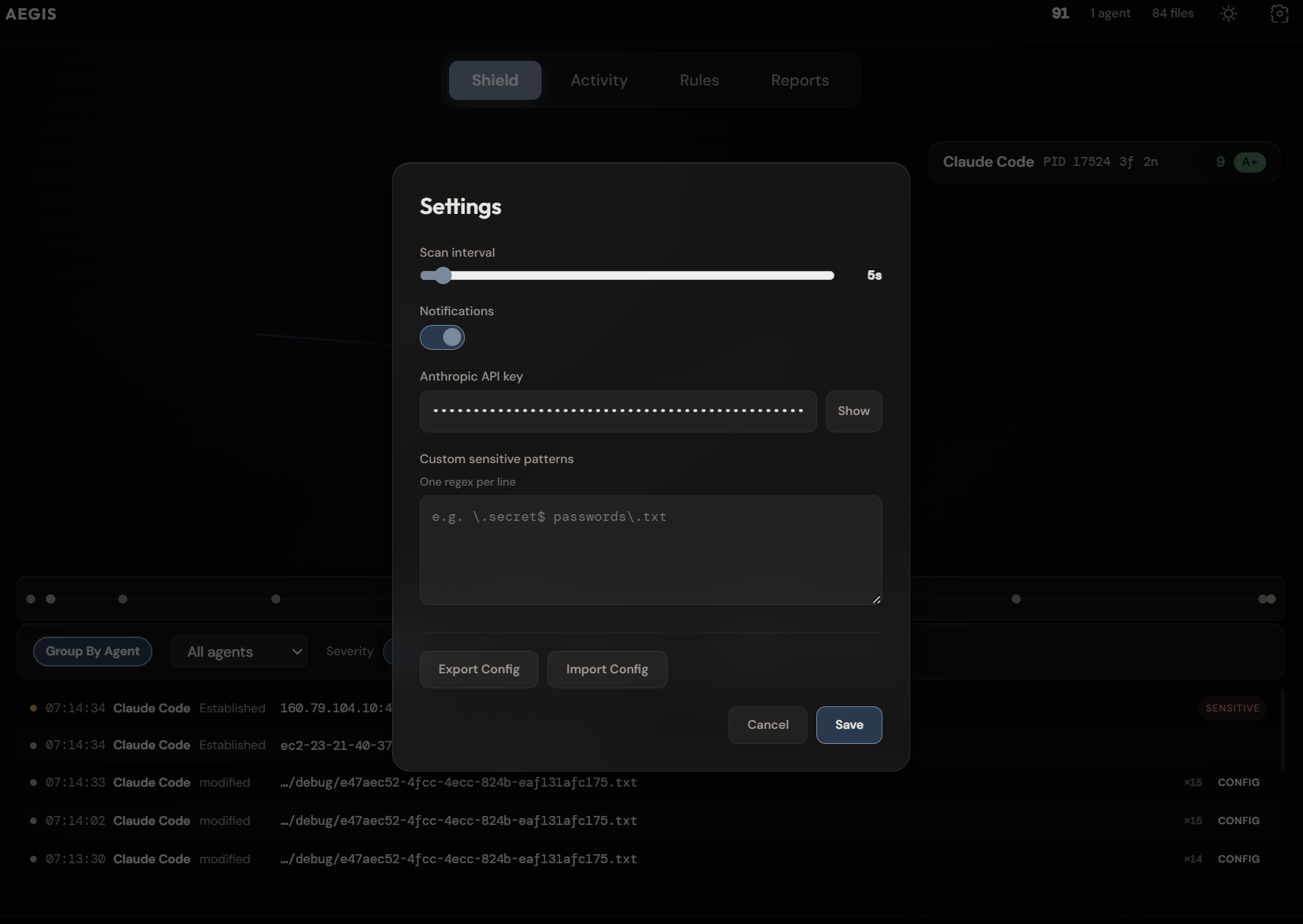
| Settings |
|---|
 |
Why AEGIS?
AI agents now have deep access to your machine — reading files, scanning codebases, executing commands, and making outbound network connections. Every existing AI security tool is enterprise B2B and monitors what humans send to AI. None of them monitor what AI agents do on local machines.
AEGIS is an independent, open-source monitoring layer that watches AI agent behavior in real time. It doesn't belong to any AI vendor. All data stays local. No telemetry, no cloud sync, no tracking.
Download
Windows — AEGIS Setup 0.2.0-alpha.exe (~82 MB)
No Node.js required. Download, install, run.
Mac and Linux support planned.
What It Monitors
- Processes — Detects 94+ AI agents by matching running processes against known signatures. Resolves parent-child process trees to identify agents inside editors (e.g., Copilot in VS Code).
- Files — Watches sensitive directories (
.ssh,.aws,.gnupg,.env*, cloud configs) and 27 AI agent config directories. Classifies access against 70+ sensitive file patterns. - Network — Scans outbound TCP connections per agent PID. Reverse DNS with domain classification — known API endpoints vs. unknown/suspicious destinations.
- Behavior — Rolling 10-session baselines per agent. Anomaly scoring (0-100) with weighted factors: file volume spikes, sensitive file escalation, new network endpoints, unusual timing.
Features
Detection
- 94 known agent signatures + wildcard matching for unknown agents
- Parent chain resolution with IDE host annotation
- AI agent config directory protection (Hudson Rock threat vector)
- Per-agent risk scoring with time decay and trust grades (A+ through F)
Analysis
- Behavioral baselines with rolling session averages
- Anomaly detection with 5 weighted factors
- AI-powered threat assessment via Anthropic API (opt-in, user-triggered only)
- Printable HTML threat reports
Dashboard
- Animated canvas radar with agent orbits and sweep arm (60fps)
- Activity feed with agent/severity/filetype filters
- Session timeline with color-coded event dots
- Agent cards with sparklines, trust bars, and expandable detail tabs
- Protection presets: Paranoid / Strict / Balanced / Developer
- Dark/light neumorphic theme
Export
- JSON, CSV, and HTML report generation
- Persistent audit logging (JSONL, daily rotation, 30-day retention)
- Full audit export and log viewer
Quick Start
git clone https://github.com/antropos17/Aegis.git
cd Aegis
npm install && npm start
Requires Node.js 18+ and Windows 10/11. Mac and Linux are supported experimentally.
Optionally set your Anthropic API key in Settings for AI-powered threat analysis.
macOS Notifications
Desktop notifications (sensitive file access alerts) require notification permissions in macOS:
- Open System Settings > Notifications
- Find AEGIS in the app list (may appear as "Electron" during development)
- Enable Allow Notifications and set the alert style to Banners or Alerts
If AEGIS doesn't appear in the list, click the Test button in Settings > Monitoring to trigger the first notification attempt, then check Notifications settings again. macOS registers apps for notifications on first use.
When running a packaged build (via npm run build), the app registers under its full name. In development mode (npm start or electron .), it may register as "Electron" depending on your macOS version.
How It Works
Process Scanner ─── detects AI agents via tasklist + pattern matching
       │
File Watcher ────── monitors sensitive dirs + per-process handle scanning
       │
Network Monitor ─── scans TCP connections + reverse DNS + domain classification
       │
Baseline Engine ─── tracks per-agent behavior over rolling 10-session windows
       │
Risk Engine ──────── scores risk (time-decay weighted) + anomaly detection
       │
Audit Logger ────── writes events to daily JSONL files (30-day rotation)
All data flows to the renderer dashboard via Electron IPC. AI analysis calls the Anthropic API only when the user explicitly requests it.
Agent Database
94 agents in src/shared/agent-database.json, organized by category:
- Coding assistants — Claude Code, GitHub Copilot, Cursor, Windsurf, Tabnine, Amazon Q, Cody, Aider
- Autonomous agents — Devin, Manus AI, OpenHands, SWE-Agent, AutoGPT, BabyAGI, CrewAI
- Desktop/browser agents — Anthropic Computer Use, Google Gemini, Apple Intelligence, Microsoft Copilot
- CLI/framework tools — LangChain, Semantic Kernel, AutoGen, MetaGPT, TaskWeaver
- Security/DevOps — Snyk AI, GitHub Advanced Security
Custom agents can be added via the Agent Database Manager in the UI or by editing the JSON directly.
Roadmap
- Mac/Linux support (
ps aux,fanotify,ss/lsof) - OS-level enforcement via kernel hooks (Windows Minifilter, macOS Endpoint Security, Linux eBPF)
- Container/VM detection (Docker, WSL, local LLMs)
- GPU monitoring for local inference detection
- UI awareness via Accessibility APIs
- Browser extension for web-based AI agents
- electron-builder packaging (Windows installer)
- Cross-device AI activity correlation
Testing
npm test              # run all tests once
npm run test:watch    # run in watch mode (re-runs on file changes)
npm run test:coverage # run with coverage report
130 tests across 12 test files covering process scanning, file classification, network monitoring, risk scoring, config management, baselines, logging, and platform parsers. Tests use Vitest with the v8 coverage provider.
Contributing
See CONTRIBUTING.md for development setup, code standards, and how to extend AEGIS.
Security
See SECURITY.md for vulnerability reporting and responsible disclosure policy.
License
MIT License. See LICENSE for details.
Author
Built by Ruslan Murtuzaliyev. Seneca Polytechnic, Toronto. MIT License.