PROFILE README
Put your card on github.com/skmelendez
A repo named exactly after your username is a special one on GitHub —
its README.md renders at the top of your profile, above
your pinned repos. This drops a live DevDex card into it.
LAYOUT
Banner + card, stacked. The full look.
INTERACTIVE EXTRAS
nav row adds four separately-linked buttons — store, repos, about, battle. One image can only carry one link, so each button is its own image; that's what makes them real click targets.
city sits full-width under the card; radar pairs with the nav column beside it in a <table>, the only side-by-side layout GitHub’s
sanitizer keeps.
THEME
PREVIEW

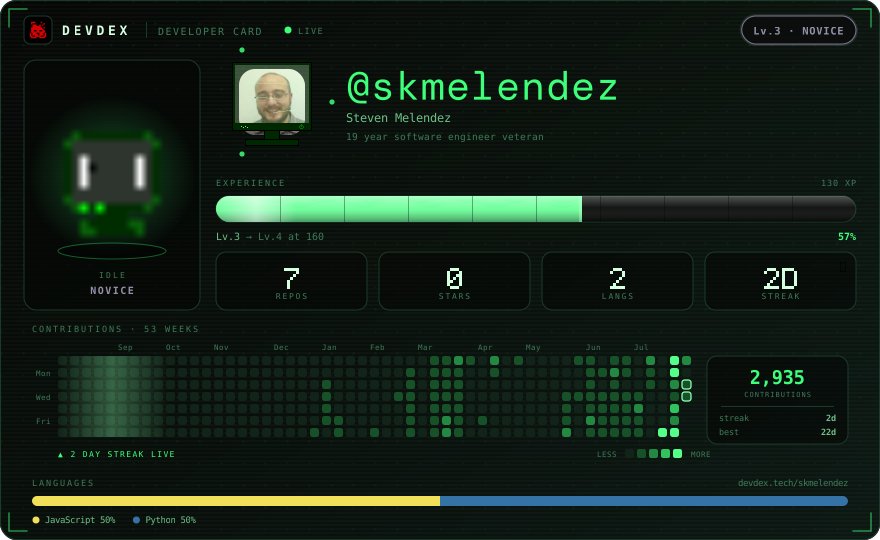
Everything is a live image endpoint, so level, XP, streak and the
contribution graph stay current. GitHub proxies it through its camo cache though, so numbers can lag a few minutes
behind your store page.
Headline type is drawn as pixel glyphs rather than your theme's
font: GitHub serves README images under default-src 'none', which blocks webfonts entirely —
even embedded ones. Everything else follows the theme.
MARKDOWN
<!-- DEVDEX:START -->
<div align="center">
  <a href="https://devdex.tech/skmelendez">
    <img src="https://devdex.tech/card/skmelendez.svg?variant=banner" alt="skmelendez's DevDex banner" width="880" />
    <img src="https://devdex.tech/card/skmelendez.svg" alt="skmelendez's DevDex hero" width="880" />
  </a>
</div>
<!-- DEVDEX:END --> The DEVDEX:START / DEVDEX:END comments are
how we find the block again — keep them and re-publishing updates the
card in place instead of adding a second one.
ONE CLICK
Sign in as @skmelendez and DevDex can write this to your profile repo for you.