README
Open on GitHub ↗


Music Blocks
“All musicians are subconsciously mathematicians.” — Monk
“Music is a hidden arithmetic exercise of the soul, which does not
know that it is counting.” — Leibniz
Music Blocks is a Visual Programming Language and a collection of
manipulative tools for exploring musical and mathematical concepts
in an integrative and entertaining way.
Getting Started
Music Blocks is an interactive Web Application — the interaction
is done via basic mouse events like click, right click, click and
drag, etc. and keyboard events like hotkey press. The application
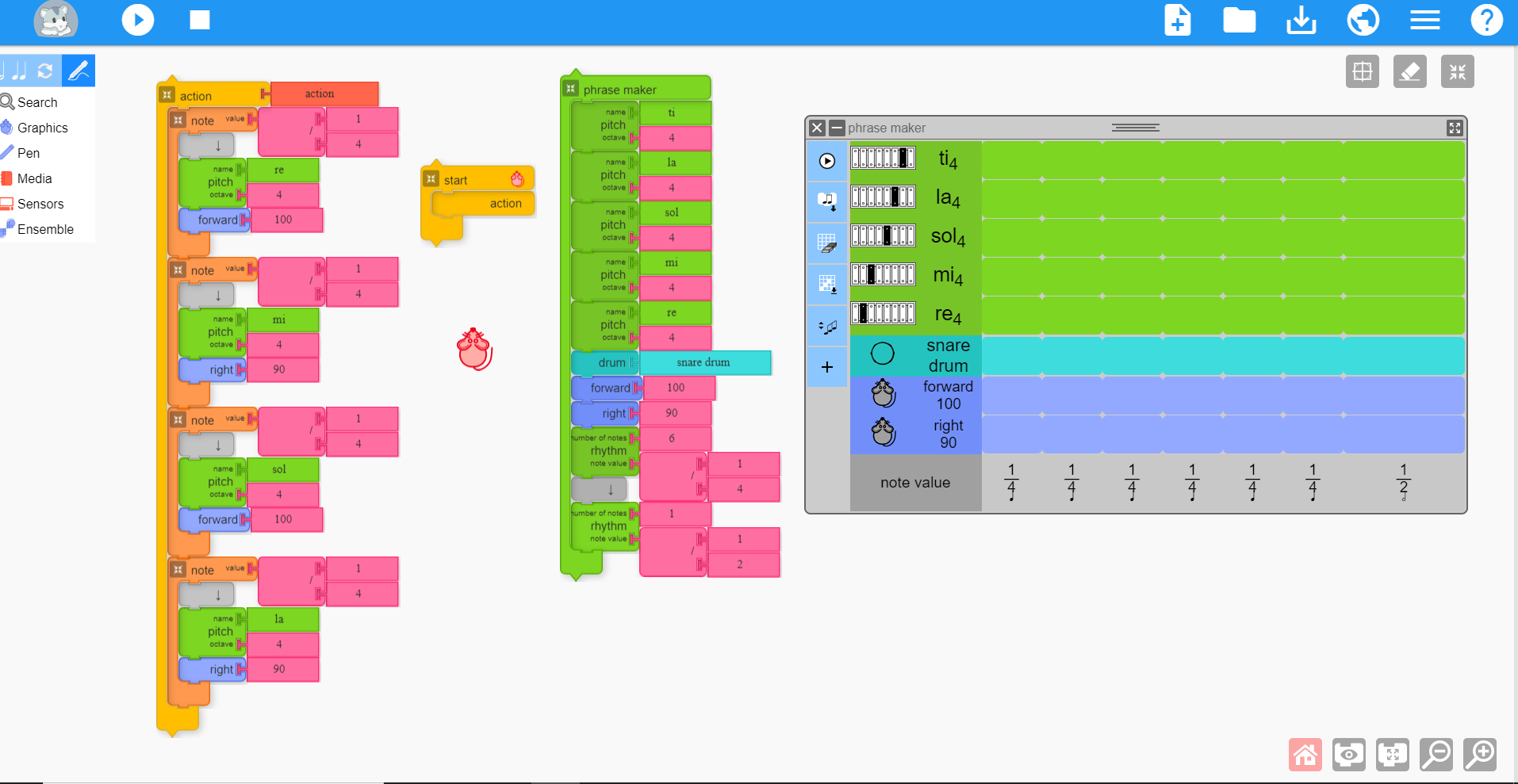
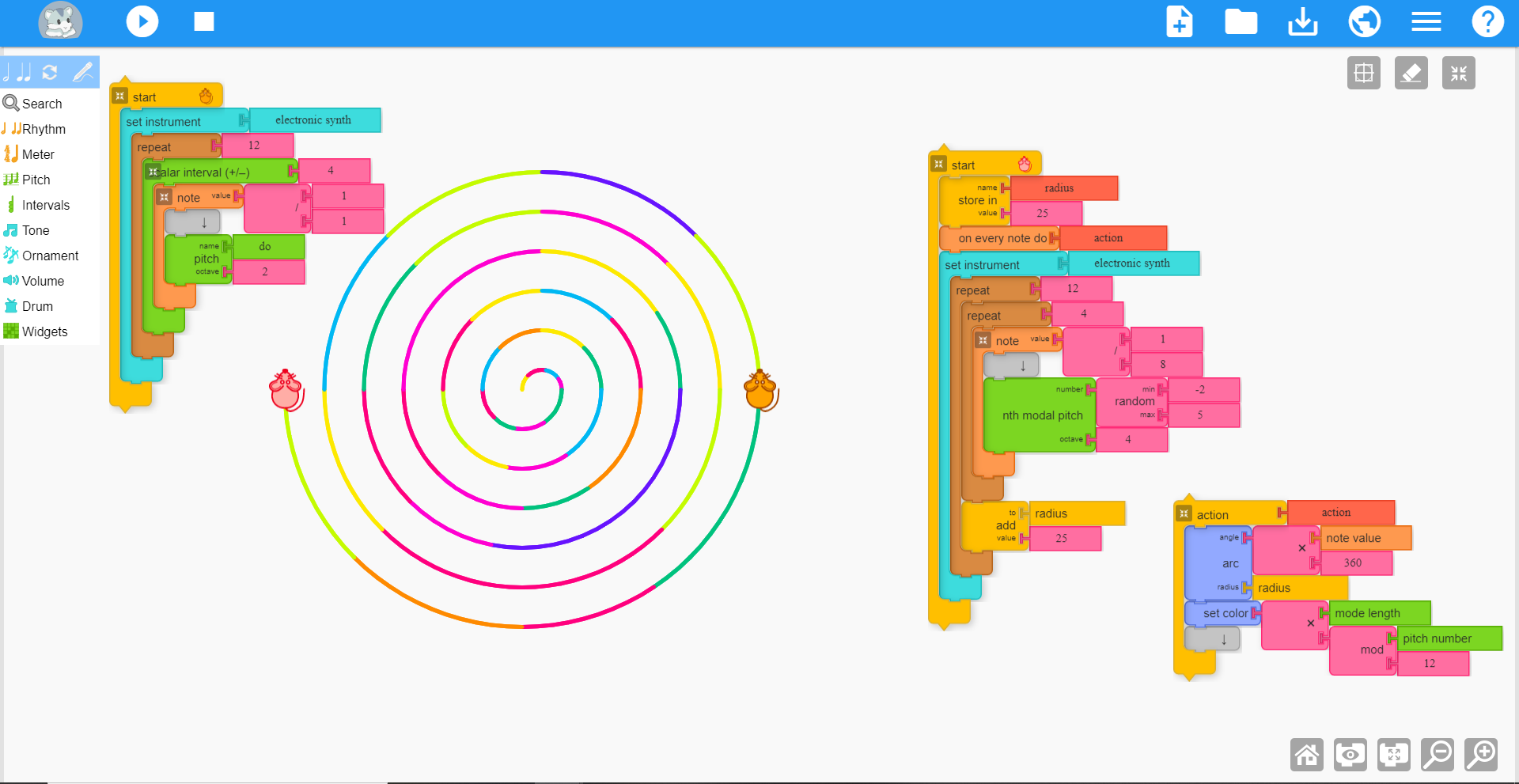
is audio-visual; it produces graphics, artwork and music. Here are a
couple of screenshots to give you an idea of how the application looks
like:
Visit the Music Blocks website for a hands on experience:
https://musicblocks.sugarlabs.org.
Or download Music Blocks from the Google Play Store
Additional background on why we combine music and programming can be found
here.
Refer to the following sections to get familiar with this application:
If you are a developer (beginner, experienced, or pro), you are very
welcome to participate in the evolution of Music Blocks.
Refer to the following sections to get an idea:
Refer to the following for more information regarding the evolution
of this project:
Running Music Blocks
Music Blocks is available under the GNU Affero General Public License
(AGPL) v3.0, a free, copyleft license.
Music Blocks is designed to run on a web browser. The ideal way to run
Music Blocks is to visit the URL
musicblocks.sugarlabs.org in
your browser — Google Chrome (or Chromium), Microsoft Edge
(Chromium-based), Mozilla Firefox, and Opera work best.
To run from the most recent master branch (experimental), visit
sugarlabs.github.io/musicblocks.
How to set up a local server
Music Blocks is written using native browser technologies. The bulk of
the functionality is in vanilla JavaScript. Therefore, most of
the functionality can be accessed by launching the
index.html file in the browser usingfile:///absolute/path/to/index.html.
However, doing so, some functionality will be unavailable. Therefore, it is
best to launch a local web server from the directory of Music
Blocks.
Download
Music Blocks, or clone (https://github.com/sugarlabs/musicblocks.git
for HTTPS, orgh repo clone sugarlabs/musicblocksfor GitHub
CLI), on your local machine.In a terminal,
cdto the directory where you downloaded/cloned
Music Blocks, usingcd path/to/musicblocks/.After you are in
path/to/musicblocks/directory, install the
dependencies using the following commandnpm installAfter cloning the musicblocks repository, you can start a local
server using npmnpm run devYou should see a message
Serving HTTP on 127.0.0.1 port 3000 (http://127.0.0.1:3000/) ...since the HTTP Server is set to start
listening on port 3000.Open your favorite browser and visit
localhost:3000or127.0.0.1:3000.
NOTE: Use ctrl + c or cmd + c to quit the HTTP Server to avoidsocket.error:[Errno 48].
Local Setup with Docker
Prerequisites
Before you begin, ensure you have Docker installed on your machine. You can download and install Docker from the official Docker website.
Installation
Clone the Music Blocks repository to your local machine:
git clone https://github.com/sugarlabs/musicblocks.gitNavigate to the cloned repository:
cd musicblocksBuild the Docker image using the provided Dockerfile:
docker build -t musicblocks .
Running Music Blocks
Run the Docker container using the built image:
docker run -p 3000:3000 musicblocksThis command will start a Docker container running Music Blocks and
expose it on port 3000.Access Music Blocks in your web browser by navigating to
http://localhost:3000.
Stopping the Docker container
To stop the Docker container, use Ctrl + C in your terminal. This
will stop the container and free up the port it was using.
Troubleshooting
When running Music Blocks locally using npm run dev, the UI may load successfully even if some interactions appear unresponsive.
New contributors may observe console errors such as:
$ is not definedlang is not definedp5 is not defined
These errors can occur due to script loading order and initialization differences in local environments.
If the UI loads and assets render correctly, the setup is generally considered successful for development purposes.
Future improvements may address these issues as part of ongoing refactoring efforts.
Additional Notes
- Make sure to replace
musicblockswith the appropriate image name
if you have tagged the Docker image differently. - You can customize the port mapping (
-p) if you prefer to use a
different port for accessing Music Blocks.
This documentation provides a basic setup for running Music Blocks
locally using Docker. Feel free to customize it further based on your
specific requirements and environment.
Using Music Blocks
Once Music Blocks is running, you'll want suggestions on how to use
it. Follow Using Music Blocks and Music
Blocks Guide.
For Scratch and Snap users, you may want to look at Music Blocks for
Snap Users.
Looking for a block? Find it in the
Palette Tables.
Code of Conduct
The Music Blocks project adheres to the Sugar Labs Code of
Conduct
Contributing
Contributing.md provides a general overview of
Sugar Lab's guidelines.
It contains best practices for writing code, submitting pull requests,
and following coding standards. Please refer to this guide before
making contributions to ensure consistency and maintain the quality of
the project.
Modifying Music Blocks
The core functionality for Music Blocks resides in the js/
directory. Individual modules are described in more detail in
js/README.md.
NOTE: As for any changes, please make a local copy by cloning this
repository. Make your
changes, test them, and only then make a pull request.
Contributing
Code
provides a general overview of Sugar Lab's guidelines. See
Contributing section for specific details about this
repository.
Containerized Development Environment
You may find it convenient to use a containerized environment for your development.
See DevContainer README.md for details.
Developer Quick Start
- Clone and install:
git clone https://github.com/sugarlabs/musicblocks.git && npm install - Run locally:
npm run dev - Before pushing:
npm run lint && npx prettier --check . && npm test
For writing tests, see Docs/TESTING.md.
Reporting Bugs
Bugs can be reported in the issues
tab of this
repository.
If possible, please include the browser console log output, and
steps to reproduce, when reporting bugs. To access the console, typeCtrl-Shift-J/F12 on most browsers. Alternately, right click and
select Inspect. You may need to set the Default levels for the
console to Verbose in order to see all of the output, however, in
most cases that won't be required. In fact, it'll only clutter the
list, so select it only when required.
Credits
Music Blocks is a fork of Turtle Blocks
JS created by Walter
Bender (@walterbender).
Devin Ulibarri has contributed
functional and user-interface designs. Many of his contributions were
inspired by the music education ideas, representations and practices
(e.g. aspects of matrix, musical cups) developed and published by
Larry
Scripp
with whom Devin studied at New England Conservatory and for whom he
worked at Affron Scripp & Associates, LLC, Center for Music and the
Arts in Education
(CMAIE),
and Music in
Education. Some
of the initial graphics were contributed by Chie
Yasuda.
Much of the initial coding specific to Music Blocks was done by Yash
Khandelwal (@khandelwalYash) as
part of Google Summer of Code (GSoC) 2015. Hemant Kasat
(@hemantkasat) contributed to
additional widgets as part of GSoC 2016. Additional contributions were
made by Tayba Wasim (@Tabs16), Dinuka
Tharangi Jayaweera (@Tharangi),
Prachi Agrawal
(@prachiagrawal269), Cristina
Del Puerto (@cristinadp), and
Hrishi Patel (@Hrishi1999) as part
of GSoC 2017. During GSoC 2018, Riya Lohia
(@riyalohia) developed a Temperament
widget. Ritwik Abhishek (@a-ritwik)
added a keyboard widget and a pitch-tracking widget. During GSoC 2019,
Favor Kelvin (@fakela) refactored much
of the code to use promises. During GSoC 2020, Anindya Kundu
(@meganindya) did a major
refactoring of the code base to support JavaScript export. Aviral
Gangwar (@aviral243) enhanced the
internal representation of mode and key. Saksham Mrig
(@sksum) fixed 70+ bugs and added support
for pitch tracking and MIDI import.
Many students contributed to the project as part of Google Code-in
(2015–2019). Sam Parkinson
(@samdroid-apps) built the Planet
during GCI. Emily Ong (@EmilyOng)
designed our mouse icon and Euan Ong
(@eohomegrownapps) redesigned
the Planet code as a series of GCI tasks. Austin George
(@aust-n) refactored the toolbars as a
series of GCI tasks. Bottersnike
(@Bottersnike) redesigned the
widgets and the Block API, Andrea Gonzales
(@AndreaGon) made the widgets
responsive, Marcus Chong (@pidddgy)
refactored the update code, resulting in an order-of-magnitude
improvement in CPU usage, and Samyok Nepal
(@nepaltechguy2) updated the
local storage mechanism to use localForage.
A full list of
contributors
is available.
Music Blocks in Japan
License
Music Blocks is licensed under the
AGPL, which means it
will always be free to copy, modify, and hopefully improve. We respect
your privacy: while Music Blocks stores your session information in
your browser's local storage, it does not and will never access these
data for purposes other than to restore your session. Music Blocks will
never share these data with any third parties.
There is a Planet where you can share your projects with others and
remix projects created by other Music Blocks users. Use of the Planet
is anonymous and not required in order to enjoy Music Blocks.
Have fun, play hard, and learn.