README
Open on GitHub ↗

spoff




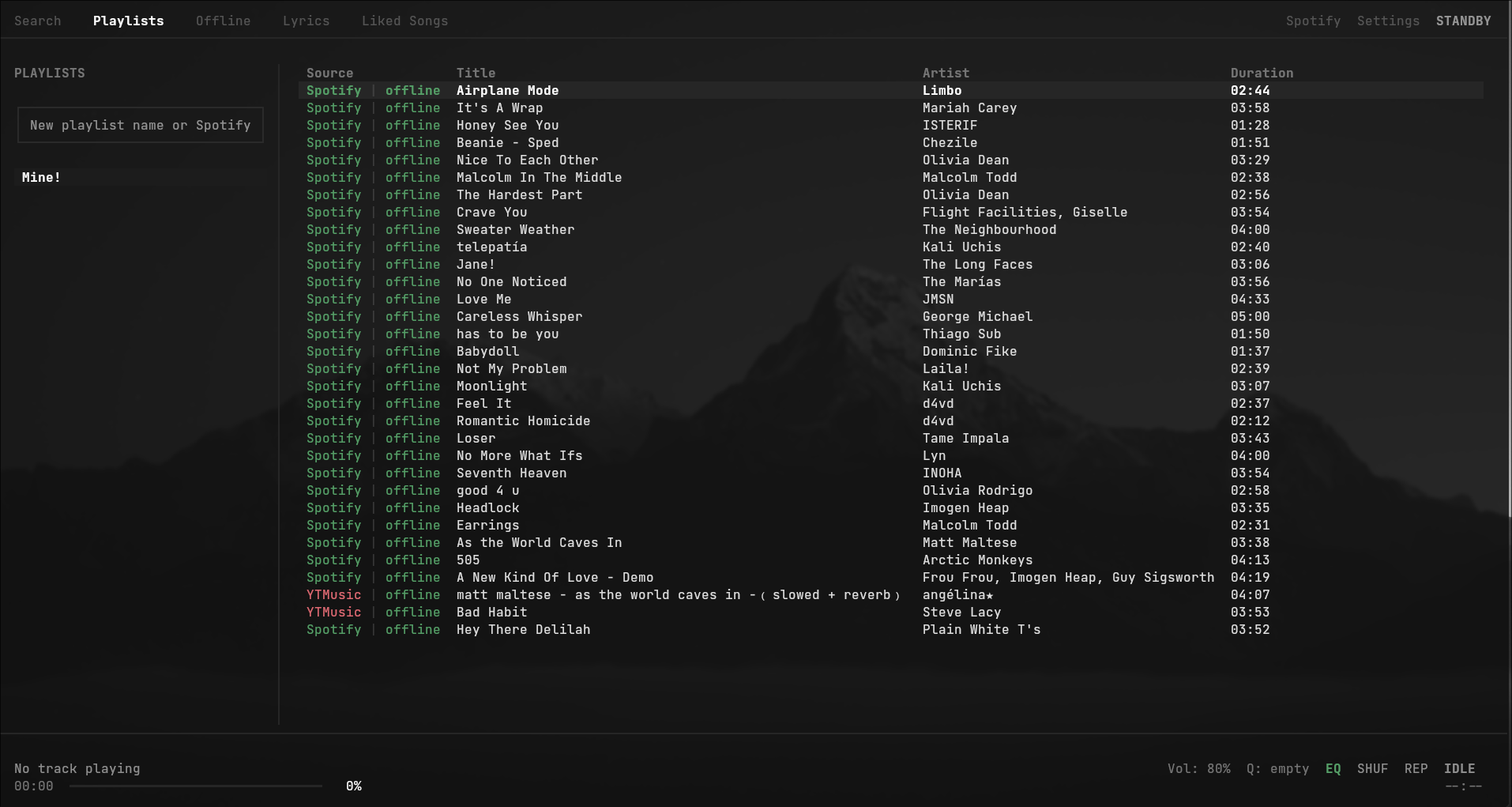
A terminal music player for Linux. It plays audio from YouTube Music, keeps your Spotify playlists in sync, saves songs for offline listening, and shows synced lyrics and a spectrum visualizer.
What it does
- Plays YouTube Music audio through mpv. spoff saves every song you play, so it works offline afterwards, and you don't need Spotify Premium.
- Gets 256 kbps audio if you have YouTube Music Premium. Sign in with Google from Settings and spoff uses your browser's login without copying or storing it. It also re-downloads songs you saved earlier at lower quality, this time at 256 kbps.
- Syncs your Spotify playlists and liked songs both ways. Songs you add from YouTube Music stay in spoff and never go to Spotify, and playlists you delete on Spotify stay deleted.
- Can copy your playlists to YouTube Music (off by default). Songs you add or remove in spoff follow, and spoff leaves alone anything you add in the YouTube Music app.
- Makes slowed + reverb, sped up, nightcore, bass boosted and 8D versions of songs. Press
mon a downloaded song. Each preset plays live as you move to it, sliders adjust speed, reverb, bass and 8D, and saved mods get their own Modded tab. - Has a parametric EQ with presets (Harman, diffuse field, Moondrop Chu II and more) and AutoEQ / EqualizerAPO import from the clipboard, plus optional loudness levelling.
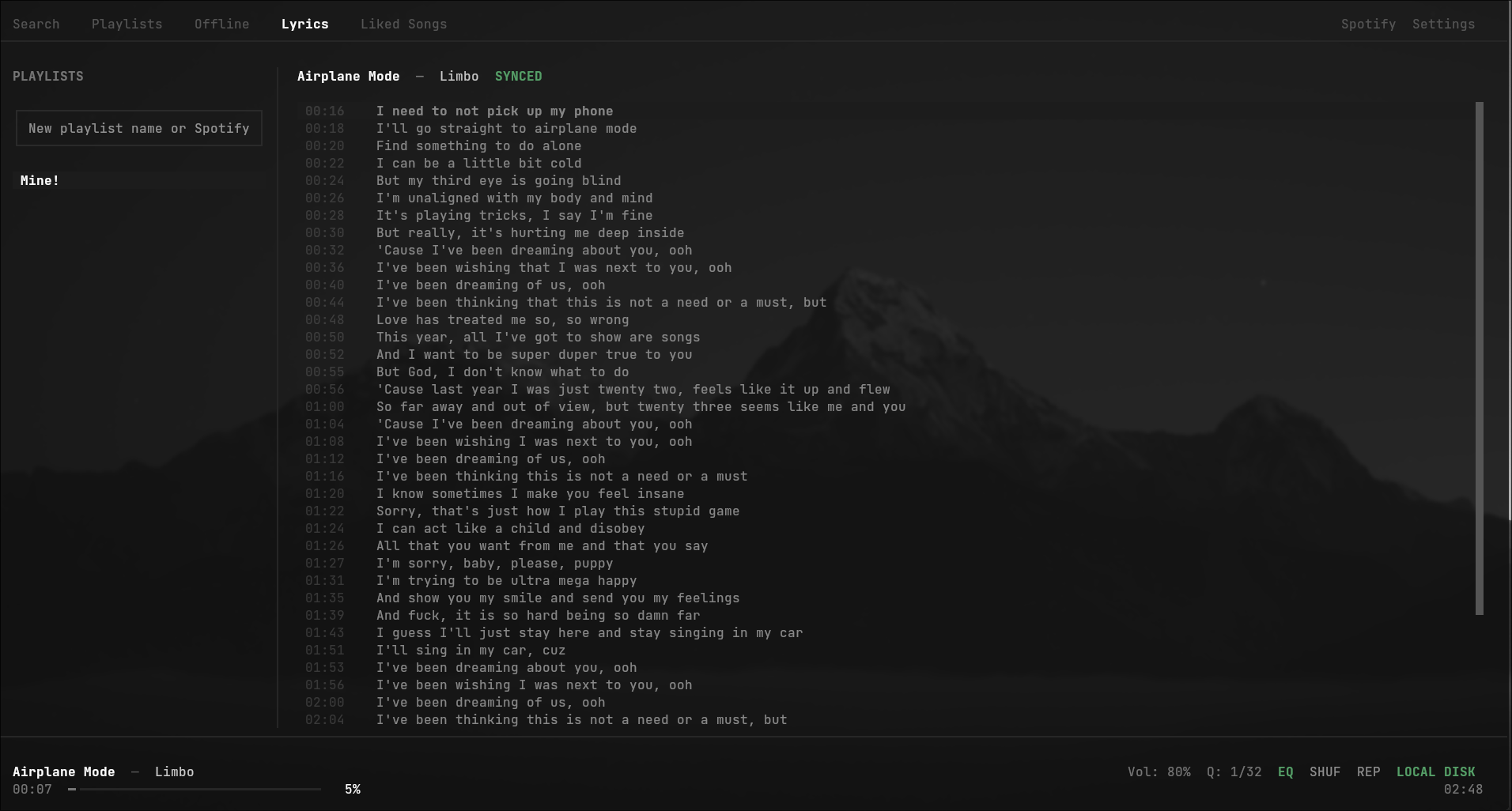
- Shows synced lyrics from LRCLIB. Click or press Enter on any line to jump there.
- Draws a visualizer through cava, in several styles and colours.
- Supports MPRIS 2, so media keys,
playerctl, Waybar and lockscreens can control it. - Uses vim keys everywhere, and you can rebind every key in Settings.
Install
You need mpv and ffmpeg. cava is optional (visualizer), and so is nodejs, deno or bun, which you only need for 256 kbps audio when signed in to YouTube Music Premium.
sudo pacman -S mpv ffmpeg cava nodejs          # Arch
sudo apt install mpv ffmpeg cava nodejs        # Debian / Ubuntu
sudo dnf install mpv ffmpeg cava nodejs        # Fedora
pipx
pipx install spoff
spoff tells you when a new release is out; pipx upgrade spoff updates it.
AppImage
Download spoff-x86_64.AppImage from the releases page, make it executable and run it. It bundles Python and all of spoff's Python packages, but not mpv or ffmpeg. The first release with an AppImage will be the one after v0.1.0.
Flatpak
Not on Flathub yet. The manifest in packaging/flatpak builds a Flatpak that includes mpv, ffmpeg, cava and deno; see its README for the commands.
Arch (makepkg)
spoff isn't on the AUR yet. The PKGBUILD in this repo builds the latest PyPI release as a pacman package:
git clone https://github.com/vrdq/spoff.git
cd spoff
makepkg -si
Pacman owns this install, so update by pulling and running makepkg -si again. spoff won't try to update itself.
From source
git clone https://github.com/vrdq/spoff.git
cd spoff
python3 -m venv .venv
source .venv/bin/activate      # fish: source .venv/bin/activate.fish
pip install -e .
spoff
Getting started
- Press
1and type to search.Enterplays the highlighted song,aadds it to a playlist andllikes it.Ctrl+Eswitches between YouTube Music and Spotify search. - Paste a Spotify or YouTube Music playlist, album or track link into the sidebar box (
i) to import it. - Press
2for your playlists, move withj/k, and pressEnterorlto open one.hgoes back to the sidebar.Shift+J/Shift+Kreorder songs or playlists, andSon a playlist edits its name, description and privacy. bdownloads the highlighted song andBthe whole playlist. Press3to see everything saved.- Press
4for lyrics while a song plays. - Press
Lto connect your Spotify account. - Press
,for settings, the equalizer, YouTube sign-in and key bindings.
Keys
Every key can be changed in Settings (,). These are the defaults.
Navigation
| Key | Action |
|---|---|
1 2 3 4 5 6 |
Search, Playlists, Offline, Lyrics, Liked Songs, Modded |
h |
Focus the playlist sidebar |
Right |
Focus the song list |
j / k (or arrows) |
Move down / up |
Tab |
Switch between sidebar and song list |
f |
Find a song in the current view |
/ |
Focus the search box |
Esc |
Close a popup or leave a text box |
Playback
| Key | Action |
|---|---|
Enter |
Play the highlighted song |
Space |
Play / pause |
n / p |
Next / previous song |
Left / Right |
Seek 5 seconds back / forward |
s |
Shuffle |
r |
Cycle repeat mode |
Ctrl+R |
Song radio (similar songs) |
m |
Mod the highlighted song |
c |
Copy the song's link |
F1 / F2 / F3 |
Mute / volume down / volume up |
Library
| Key | Action |
|---|---|
a |
Add the song to a playlist |
l |
Like / unlike |
b / B |
Download the song / the whole playlist |
i |
New playlist or import a link |
d |
Remove the song (or delete a modded song) |
D |
Delete the playlist |
R / Y / S |
Rename / copy / playlist settings |
y |
Copy the playlist's link |
Shift+J / Shift+K |
Move the song or playlist down / up |
Sound and visuals
| Key | Action |
|---|---|
e |
Equalizer |
E |
Bypass the EQ (A/B compare) |
Alt+E |
EQ settings |
v / Shift+V / C |
Visualizer style / on-off / colour |
Other
| Key | Action |
|---|---|
Ctrl+E |
Switch search between YouTube Music and Spotify |
L |
Spotify account |
, |
Settings |
: |
Help |
u |
Check for updates |
q |
Quit |
Files
Everything lives in ~/.local/share/spoff/:
cache/holds downloaded songs and saved modsplaylists.json,liked_songs.jsonandmodded_tracks.jsonhold your libraryconfig.jsonholds settings, including the EQspotify_auth.jsonholds your Spotify login
Your Google login stays in your browser. spoff reads it when it needs it and never writes it to disk.
Community
Questions, bug reports and EQ presets go on the Discord server. Bugs can also go in GitHub issues.
License
MIT