video-downloader-mygo
Native desktop video downloader built with Go, MyGo, yt-dlp, and FFmpeg. The application analyzes videos and playlists, lets users choose quality, audio, subtitles, and containers, manages downloads in a queue, converts local media, and stores download history.
README
Open on GitHub ↗Video Downloader for MyGo


Current release: v3.2.0
Native desktop video downloader built with Go, MyGo, yt-dlp, and FFmpeg. The application analyzes videos and playlists, lets users choose quality, audio, subtitles, and containers, manages downloads in a queue, converts local media, and stores download history.
This project is the native Go/MyGo rewrite of Video-Downloader, the original Flet/Python application by Fazi Gondal.
Contents
- Features
- Requirements
- Install prebuilt releases
- Run from source
- Build and package
- Bundled tools
- Using the application
- Configuration
- Architecture
- GitHub Actions
- Testing and verification
- Troubleshooting
- Project files
- Contributing
- License
Screenshots
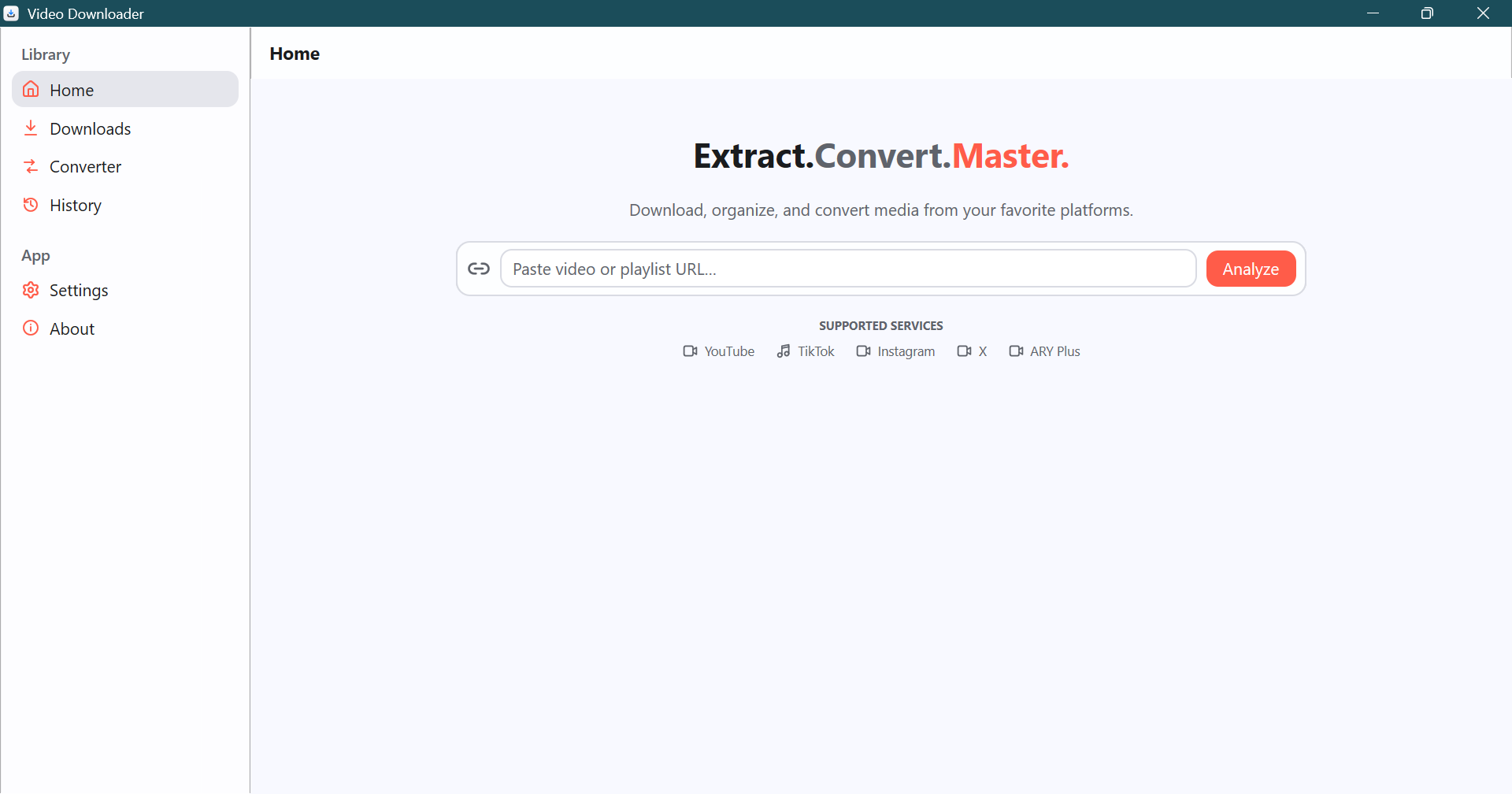
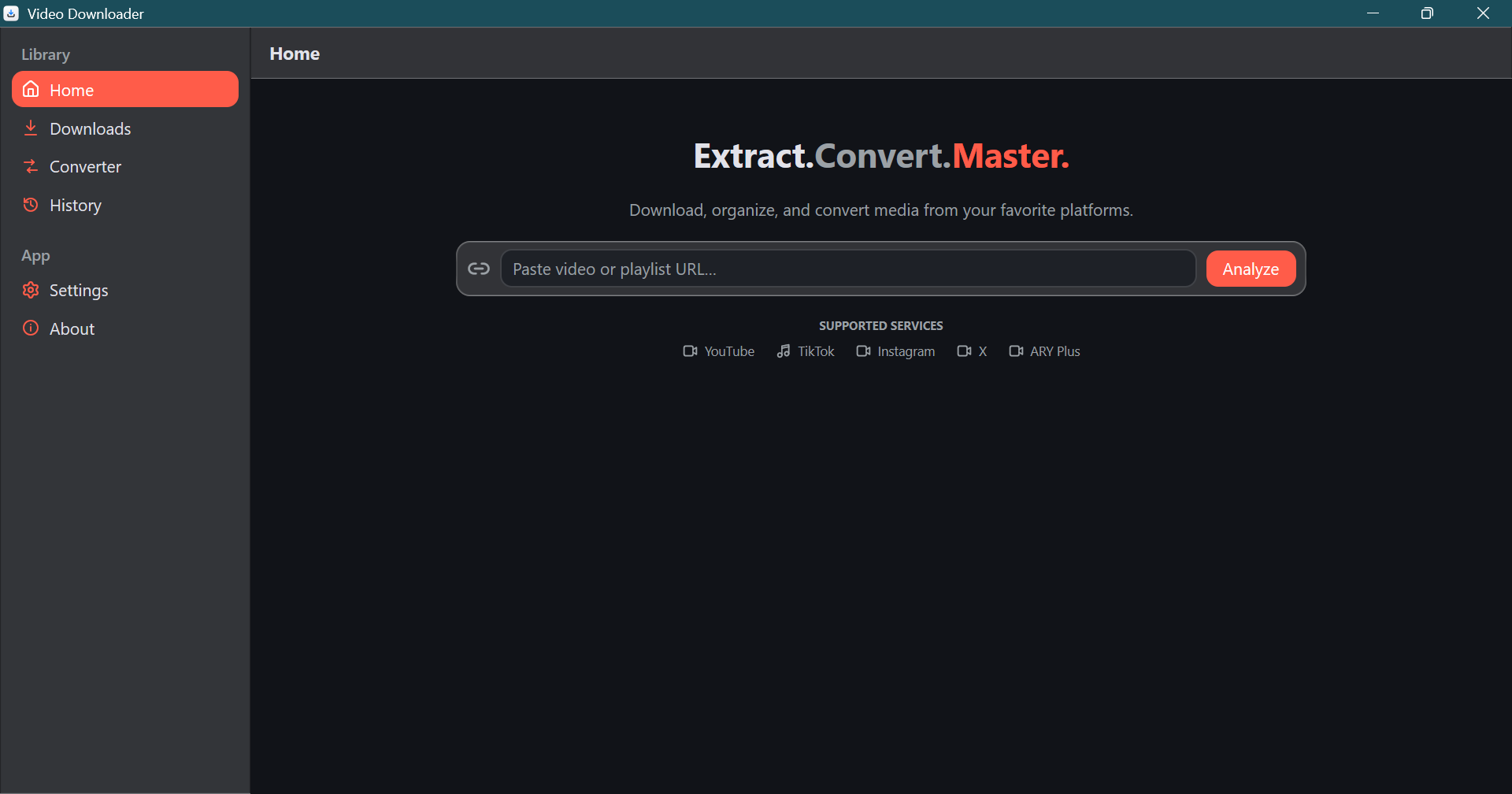
Main Window & URL Extraction
| Light Mode | Dark Mode |
|---|---|
 |
 |
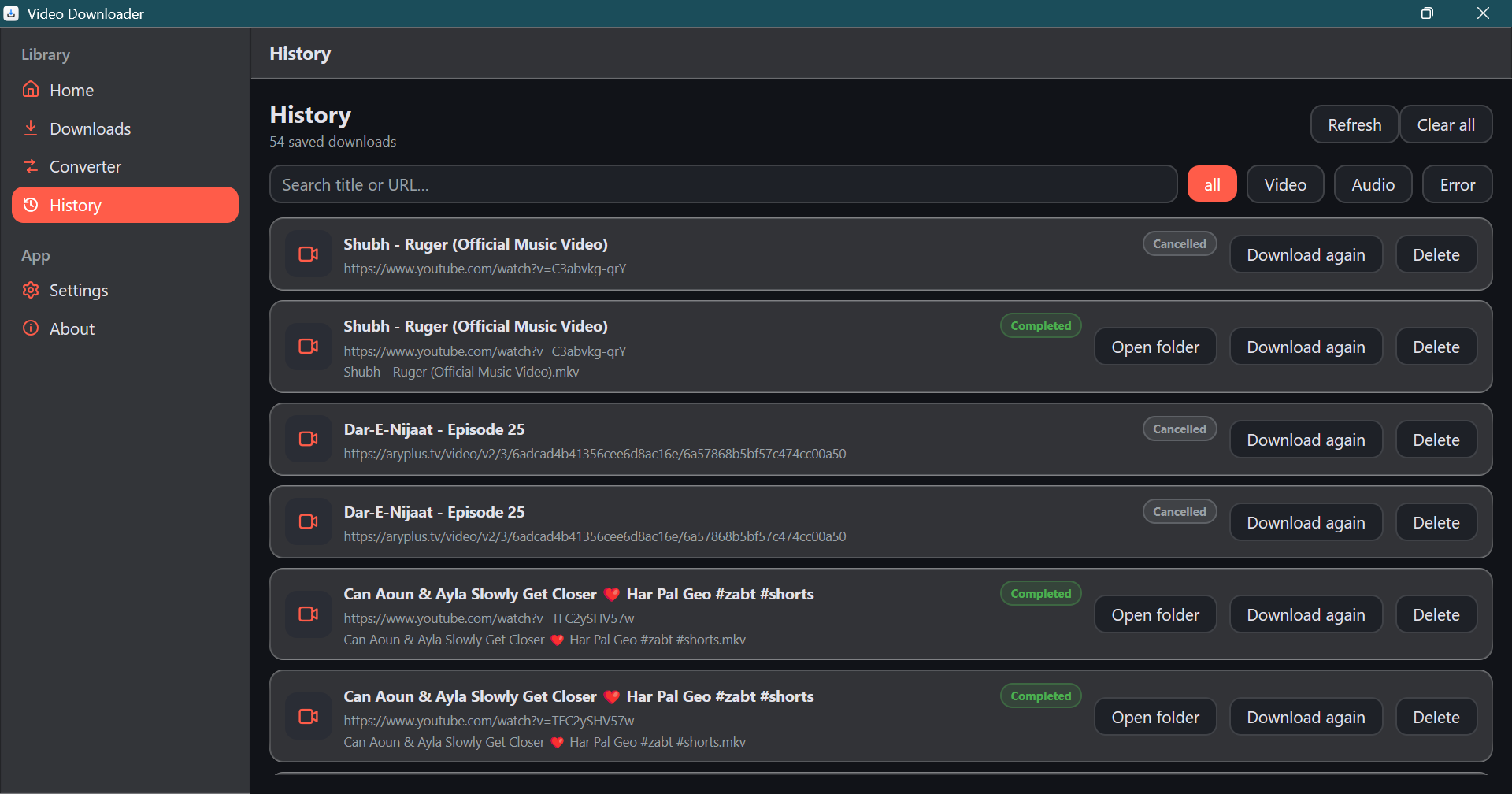
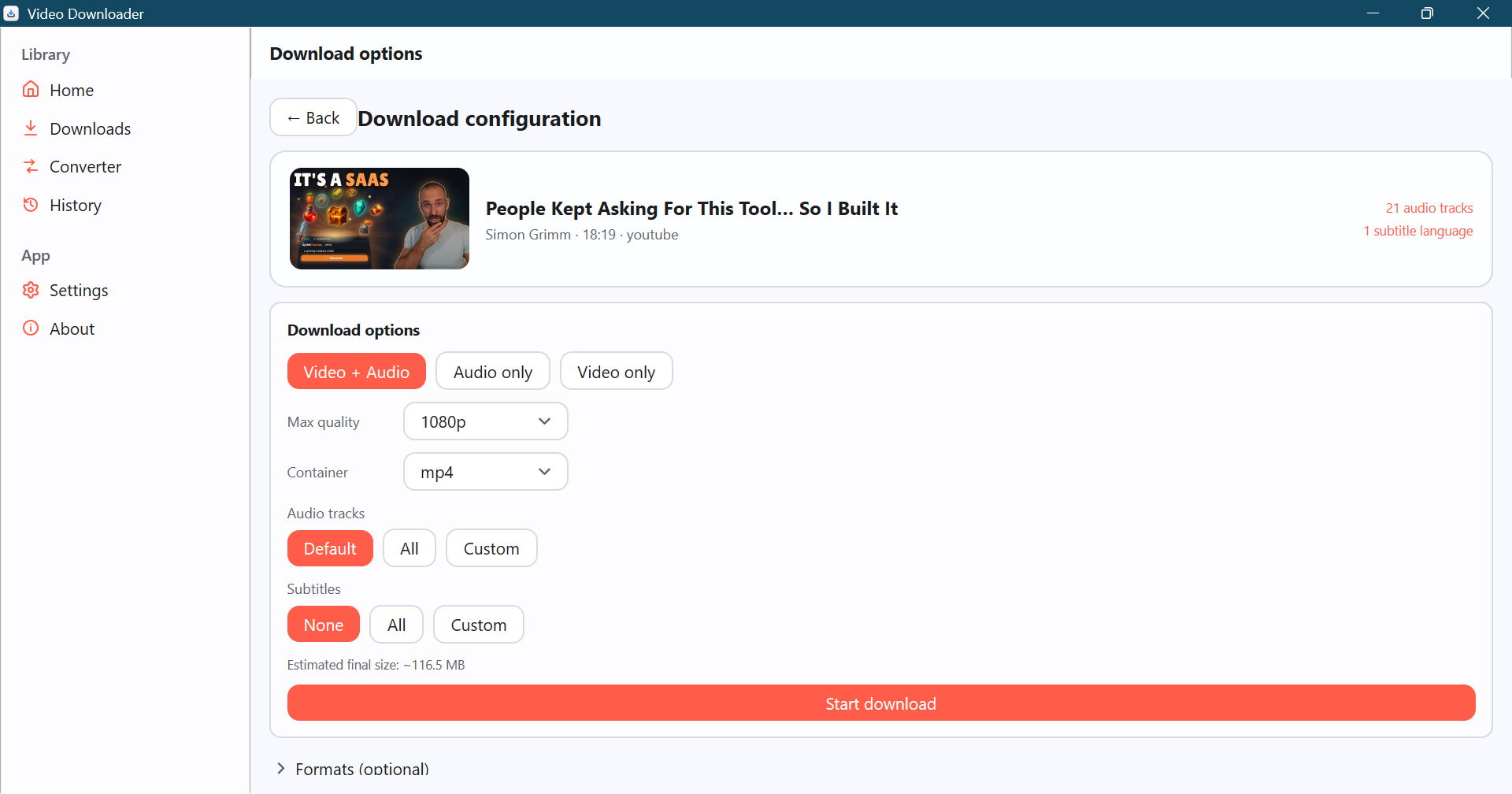
Download Configuration & Multi-Track Selection
| History | Multi-Audio & Subtitle Picker |
|---|---|
 |
 |
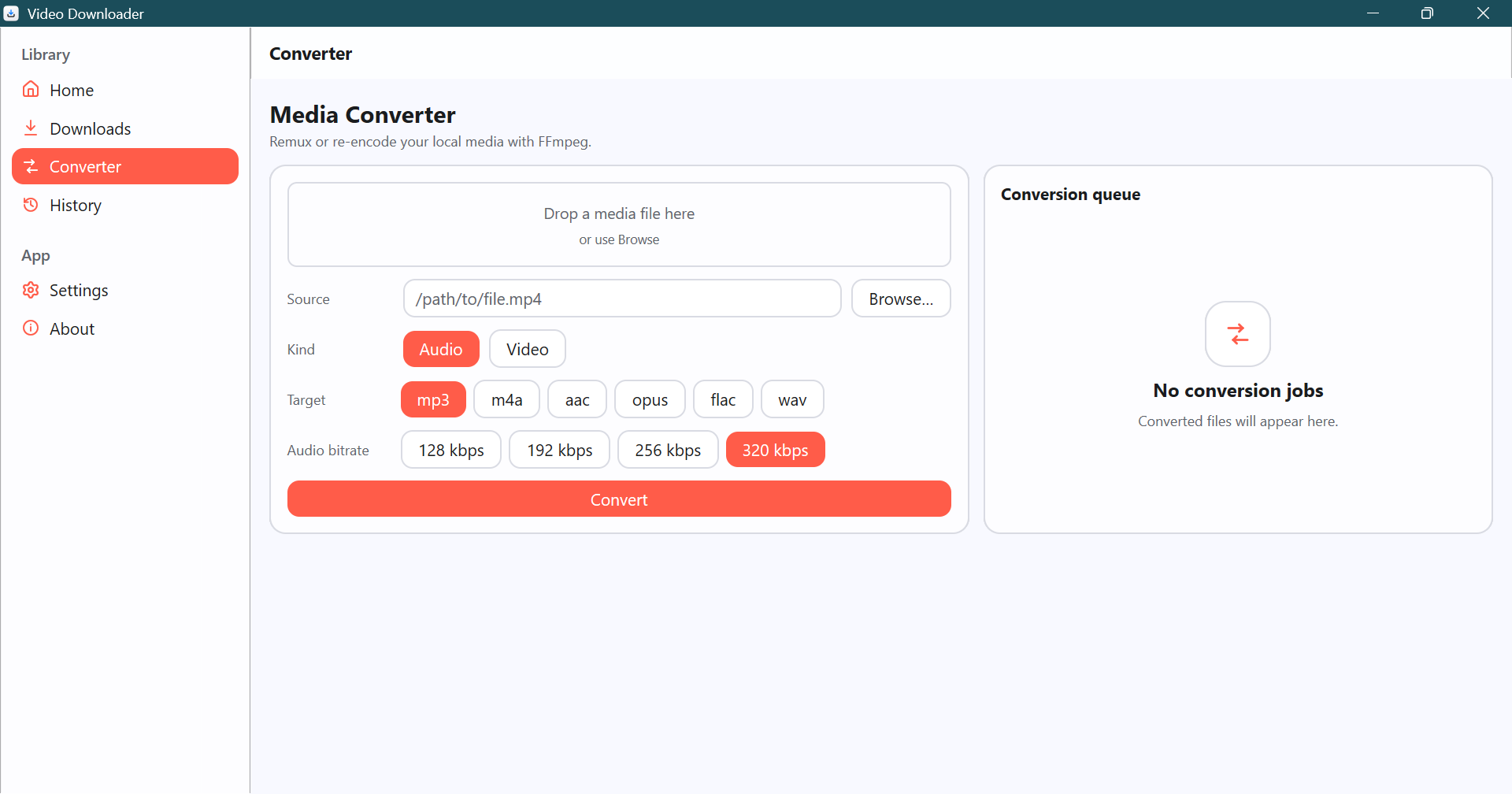
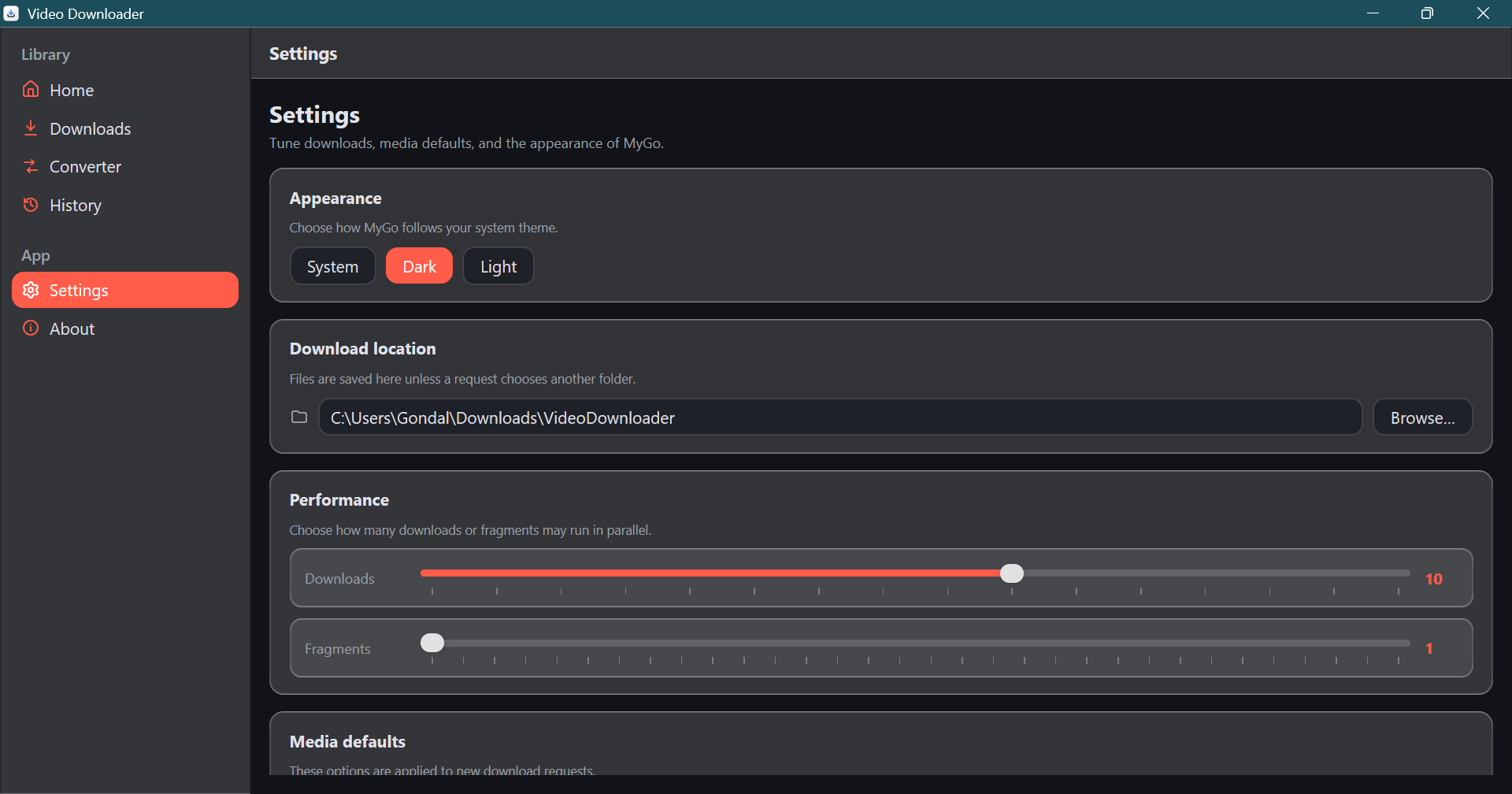
Format Explorer Table & Settings
| Format Explorer | Settings & Dependency Inspector |
|---|---|
 |
 |
Features
Home and media analysis
- Native MyGo desktop UI with the operating system title bar.
- MyGo Glass surfaces across the navigation, toolbar, settings cards, and
primary panels. The built-in material is rendered on Windows, macOS, and
Linux; its translucency lets content beneath each surface show through. - URL analysis for individual videos and playlists through yt-dlp.
- Press Enter in the Home URL field to start analysis without clicking the
Analyze button. - Direct one-click HD downloads for TikTok, Instagram, X/Twitter, and YouTube Shorts. The metadata card provides the download action without a quality picker and without browser cookies.
- ARY Plus episode and series downloads through the bundled yt-dlp plugin.
- Video thumbnail loading with bounded, validated image decoding.
- Human-readable media title, uploader, duration, extractor, audio-track, and subtitle information.
- Playlist selection with select-all, select-none, persistent per-entry checkboxes, and batch progress.
- Lazy format loading so initial analysis can remain fast.
Download configuration
- Video + audio, video-only, and audio-only modes.
- Resolution presets from best quality through 360p.
- MP4, MKV, and WebM container selection when the selected media allows it.
- Format explorer with format ID, resolution, frame rate, codec, and size information.
- Explicit video or audio format choices are preserved when yt-dlp builds the final selector; reset to Auto to return to automatic container-aware selection.
- VP9 preference is managed centrally from Settings and falls back automatically when VP9 is unavailable.
- YouTube 360° videos prefer equirectangular streams; packed mesh streams are excluded from automatic and manual video choices.
- YouTube downloads use a public embedded client by default and do not require browser cookies. Browser-cookie import remains optional in Network settings.
- TikTok, Instagram, X/Twitter, and YouTube Shorts downloads bypass configured browser cookies and download the best available video/audio stream as MP4. A watermark already embedded in a source video cannot be removed by the downloader.
- Combined final-size estimate based on the physical video/audio streams that will be downloaded, their sizes or bitrates, duration, and selected tracks.
- Approximate estimates are marked with
~; container overhead, metadata, thumbnails, subtitles, and remuxing can change the final file size. - Download folder picker.
- Thumbnail and metadata embedding options.
- Settings sliders for concurrent downloads (1–16) and per-download fragments
(1–32); changes take effect after saving.
Multiple audio tracks
- Default, All, and Custom audio-track modes.
- One best Opus track is kept per language; bitrate/quality variants of the same language are not shown as separate tracks.
- The audio-track selector is shown only when the analyzed media provides multiple languages.
- Human-readable language labels while preserving yt-dlp language/format IDs internally.
- Individual audio-track labels include an approximate contribution to the final size when metadata permits.
- Responsive three-column custom picker with a bounded vertical scroll area.
- Multiple audio tracks automatically require MKV and disable incompatible container choices.
- Audio-track selection is passed to yt-dlp with multistream support.
The size shown on the configuration page sums the selected physical stream
payloads once. If an automatic fallback is already a combined video+audio
stream, its embedded audio is not counted a second time. Custom multi-audio
selection adds only the checked tracks. If yt-dlp does not report an exact
stream size, the app estimates it from bitrate and duration and displays ~.
Subtitles
- None, All, and Custom subtitle modes.
- Only subtitle languages reported as available for the analyzed media are shown.
- Only creator-provided subtitles are shown and downloaded; YouTube automatic captions are excluded.
- Human-readable labels such as English, Hindi, German, and Urdu.
- Custom subtitle languages are sent to yt-dlp using their original codes.
- Multiple subtitles automatically require MKV.
- Subtitles are converted to SRT before embedding for better player compatibility.
- Temporary subtitle sidecars are removed after successful embedding.
- Subtitle HTTP 429 failures do not discard an otherwise successful video/audio download; the UI shows a warning for missing subtitles.
Download queue
- Concurrent worker queue with configurable worker count.
- Pause, resume, cancel, retry, and clear-finished actions. Paused yt-dlp partial files are preserved and resumed instead of restarting from zero, including after closing and reopening the app.
- Closing while downloads are pending or active prompts you to keep downloading, pause and close, or cancel downloads and close. Paused tasks reappear in the Downloads list on the next launch.
- Thumbnail cards with video/audio fallback icons.
- Status pills for preparing, pending, downloading, processing, paused, completed, failed, and cancelled states.
- Determinate progress from downloaded/total bytes or percentage.
- Downloaded bytes, total bytes, approximate-total marker, speed, and ETA.
- Unknown values are shown as calculating/unknown instead of being silently hidden.
- Separate processing state for stream merging, post-processing, and remuxing so a completed stream does not look like a completed file.
- Show completed files in the operating-system file manager.
Converter
- Drag-and-drop and native file picker input.
- Audio extraction and video conversion targets.
- Audio bitrate choices of 128, 192, 256, and 320 kbps for lossy MP3, M4A, AAC, and Opus output.
- Lossless FLAC and WAV output intentionally ignores the bitrate selection.
- Container-aware video codec defaults for MP4, MKV, WebM, AVI, MOV, and TS targets.
- FFmpeg-backed conversion queue.
- Lossless remux when source and target containers are compatible.
- Re-encode fallback when a remux is not safe.
- Progress, cancellation, errors, output path, and show-in-folder action.
History, settings, and about
- JSON-backed history for completed, failed, and cancelled tasks.
- History search and filters for all, video, audio, and errors.
- Re-download, open-folder, delete-entry, refresh, and clear-all actions.
- Re-download preserves the original resolution/frame-rate limits and selected
format IDs. For older history entries, it reads the existing output's video
height when that file is still available. If quality cannot be recovered, the
app stops instead of silently queuing the best available quality. - Settings for download folder, concurrency, fragments, proxy, cookies, rate limiting, headers, subtitles, multi-audio, metadata, thumbnails, VP9, theme, and conversion defaults.
- Glass-backed settings cards, including discrete performance sliders with
current values shown. - Light, dark, and system theme choices.
- About page with project links, technology list, and license information.
Requirements
Build requirements
- Go 1.27.3 or a compatible Go 1.27 toolchain. The version is declared in
go.mod. - Git.
- MyGo CLI v0.7.4, pinned as a Go tool in
go.mod. - A C compiler is not required for normal MyGo builds; CI sets
CGO_ENABLED=0.
Runtime requirements
- Release packages include
yt-dlp,ffmpeg, andffprobefor extraction,
merging, post-processing, and conversion. - Local source runs can use the bundled platform directory or matching tools on
PATH. - Internet access for media extraction and remote thumbnails.
- On Linux, the native MyGo runtime libraries required by the distribution format, including GTK/WebKit dependencies where they are not already installed by the package manager.
The application first looks for bundled tools and then falls back to PATH. See Bundled tools.
Install prebuilt releases
Release artifacts are published from version tags by .github/workflows/release.yml.
Windows
- Download the Windows setup executable from the GitHub Releases page.
- Run the installer.
- If Windows SmartScreen warns about an unsigned build, use More info and verify that the file came from the intended release before continuing.
The Windows release includes the application executable and bundled yt-dlp/FFmpeg tools when the release workflow completes successfully.
Linux
Preferred options:
- Install the generated
.debpackage on Debian/Ubuntu-based systems. - Extract the
.tar.gzarchive and run the includedinstall.sh.
The Linux archive may require GTK/WebKit runtime packages on minimal distributions. The package manager version is preferred because it can declare system dependencies.
macOS
The current release workflow targets macOS arm64. Local builds can also target macOS amd64 when run on a compatible environment. The workflow bundles yt-dlp and an architecture-matched FFmpeg/FFprobe Homebrew bottle. Unsigned/ad-hoc builds may be blocked by Gatekeeper; configure Developer ID signing and notarization for public distribution.
Run from source
Clone the repository and enter the project directory:
git clone https://github.com/fazi-gondal/video-downloader-mygo.git
cd video-downloader-mygo
Use the pinned dependency graph. Do not run go get github.com/egoist/mygo@latest as part of normal setup because it changes the tested version:
go mod download
go run .
For MyGo development mode with live rebuilding:
go tool mygo dev
On Windows, these commands work from PowerShell. The bundled-tool helper is a Bash script; use Git Bash, WSL, or another Bash environment when running it locally.
Build and package
The complete build instructions are in BUILD.md. Common commands are:
# Native application build for the current/default target.
go tool mygo build

# Explicit targets. MyGo can cross-compile native UI targets without cgo.
go tool mygo build -platform windows/amd64
go tool mygo build -platform linux/amd64
go tool mygo build -platform linux/arm64
Artifacts are written below build/, as configured by mygo.json:
- Windows executable and NSIS installer.
- Linux executable, Debian package, tarball, and
install.sh. - macOS app and disk image when built on macOS with the required signing/image tooling.
Before packaging a release, download the matching helper tools:
bash scripts/fetch-tools.sh windows-amd64
bash scripts/fetch-tools.sh linux-amd64
# Or fetch every supported helper directory:
bash scripts/fetch-tools.sh all
Do not commit downloaded binaries from resources/*/bin/; they are ignored intentionally because FFmpeg archives are large.
Bundled tools
resources/README.md describes the resource layout and resolution order. The expected development layout is:
resources/
  icon.png
  windows-amd64/bin/
    yt-dlp.exe
    ffmpeg.exe
    ffprobe.exe
  linux-amd64/bin/
    yt-dlp
    ffmpeg
    ffprobe
  linux-arm64/bin/       # same three Unix executables
  darwin-amd64/bin/      # yt-dlp plus Homebrew FFmpeg/FFprobe in releases
  darwin-arm64/bin/      # yt-dlp plus Homebrew FFmpeg/FFprobe in releases
The helper script supports these environment variables:
| Variable | Default | Purpose |
|---|---|---|
YTDLP_TAG |
2026.08.19 |
yt-dlp release tag used for the download URL |
FFMPEG_RELEASE |
latest |
FFmpeg-Builds release tag used for the archive URL |
Example:
YTDLP_TAG=2026.08.19 FFMPEG_RELEASE=latest bash scripts/fetch-tools.sh linux-amd64
The script requires curl, unzip, and tar/xz as appropriate for the
target archive. It verifies SHA-256 checksums before extracting only yt-dlp,ffmpeg, and ffprobe into the platform resource directory, and marks Unix
executables as executable. Update the recorded checksum when intentionally
upgrading a helper release. macOS FFmpeg/FFprobe are installed from a
architecture-matched Homebrew bottle; the release workflow runs those jobs on
matching macOS runners.
The release currently does not bundle a JavaScript runtime. yt-dlp may use a
runtime such as Deno for some modern YouTube challenge flows; install a
supported runtime on PATH when yt-dlp reports that one is required, or use a
source build with the runtime available. This behavior should be verified
against the target sites before promising complete extractor parity.
Runtime lookup order is:
- Packaged
resources/bin/<tool>. - Packaged
resources/<tool>. - Development
resources/<os>-<arch>/bin/<tool>. - A matching executable on
PATH.
The bundled ARY Plus extractor supports aryplus.tv episode URLs and series
playlists, multi-quality HLS streams up to 4K, thumbnails, and DRM checks.
ARY Plus API access uses the built-in public client key; you may override it
with ARYPLUS_API_KEY and set ARYPLUS_API_BASE to use a compatible API
endpoint.
Using the application
1. Analyze a URL
- Open the application.
- Paste a valid HTTP(S) video or playlist URL into the Home input.
- Press Enter or select Analyze.
- Wait for yt-dlp to return the media metadata.
The app accepts HTTP and HTTPS URLs with a host for yt-dlp analysis and
downloads. ARY Plus episode and series URLs remain supported through the
application's dedicated resolver.
For a single video, the result card shows its thumbnail, title, uploader, duration, extractor, available audio tracks, and available subtitles. For a playlist, use Select all, Select none, or click individual checkboxes. Individual checkbox changes are committed immediately, so the tick remains visible when the list redraws.
For a TikTok, Instagram, X/Twitter, or YouTube Shorts video, the result card is
also the download screen: review the metadata and click Download HD. The
app skips the normal quality picker, uses the best available video/audio
source, writes an MP4, and does not use configured browser cookies.
Downloaded filenames use the media title and extension. The app does not append
yt-dlp video IDs to final filenames; playlist entries retain their playlist
index to keep entries distinguishable.
2. Open download options
Select Continue to download options for a single video or Download selected for a playlist.
The configuration page is scrollable. It contains:
- Download mode.
- Maximum quality.
- Container.
- Audio-track mode.
- Subtitle mode.
- Estimated final size.
- Advanced format selection when formats have been loaded.
3. Select audio and subtitles
The custom audio and subtitle pickers use three columns and a bounded internal scroll area. Long labels are truncated inside their cells so the grid remains inside the window.
Selecting multiple audio tracks or any subtitle tracks changes the container to MKV and locks the container selector. MKV is used because it can carry multiple audio and text-subtitle streams reliably. When the selections return to default/none, the previous container choice is restored.
4. Start and monitor downloads
Select Start download. The application opens the Downloads page, where each task displays:
- Thumbnail or media-type fallback icon.
- Title and status.
- Progress bar.
- Downloaded and total bytes.
- Approximate total marker when yt-dlp reports an estimate.
- Speed and ETA.
- A processing state while yt-dlp merges streams or applies post-processing.
- Retry, cancel, and show-in-folder actions where applicable.
At the beginning of a download, size or ETA can be unavailable while yt-dlp
initializes. The card displays size unknown, speed calculating, orETA calculating until a value is available. The progress bar becomes
determinate when yt-dlp reports a total or the configuration estimate can be
used as a fallback.
Subtitle HTTP 429 responses are treated as partial subtitle warnings when the media download succeeds. The video/audio file still completes, but the blocked language may be missing until a later retry.
5. Convert local media
Open Converter, drop a media file onto the drop zone or select Browse, choose Audio or Video, select an output format, and select Convert. Lossy audio supports bitrates up to 320 kbps, including MP3 conversion. FLAC and WAV are lossless and ignore bitrate. Video uses a lossless remux only when FFprobe confirms that the source codecs fit the target container; other conversions use container-appropriate FFmpeg re-encoding.
6. Review history and settings
- History stores terminal download records in a JSON file and supports search, filters, re-download, deletion, and opening the output folder.
- Paused downloads and their recovery data are stored locally in
downloads.jsonalongside app data; choose Pause and close to safely stop active transfers for later resumption. - Settings controls defaults and validates values before saving.
- About contains project, source, technology, and license links.
Configuration
Settings are stored in settings.json under the platform application directory:
| Platform | Location |
|---|---|
| Windows | %LOCALAPPDATA%\\VideoDownloader\\settings.json |
| macOS | ~/Library/Application Support/VideoDownloader/settings.json |
| Linux | ~/.config/VideoDownloader/settings.json |
Current settings fields are:
| JSON field | Type | Description |
|---|---|---|
download_dir |
string | Default output directory. |
max_concurrent |
integer | Download workers, from 1 through 16. |
concurrent_fragments |
integer | yt-dlp fragment concurrency. |
proxy |
string | HTTP, HTTPS, SOCKS4, SOCKS4A, SOCKS5, or SOCKS5H proxy URL. |
cookies_browser |
string | Browser/profile value passed to yt-dlp. |
custom_headers |
object | Header name/value pairs used by extraction/download configuration. |
rate_limit_kbps |
integer | Per-download rate limit; zero means unlimited. |
keep_originals |
boolean | Keep source files after conversion. |
write_subtitles |
boolean | Enable subtitles by default. |
subtitle_langs |
string array | Default language codes or all. |
multi_audio |
boolean | Enable all available audio tracks by default. |
embed_thumbnail |
boolean | Embed thumbnail metadata where supported. |
embed_metadata |
boolean | Embed metadata and chapters. |
prefer_vp9_video |
boolean | Prefer VP9 video when available; yt-dlp falls back automatically when it is unavailable. |
theme_mode |
string | system, dark, or light. |
The Settings page is the preferred way to edit this file. It validates numeric ranges, proxy schemes, headers, cookies-browser input, subtitle languages, and theme values before writing.
Architecture
.
├── main.go                         Application entry point and native window.
├── mygo.json                       MyGo package metadata and output directory.
├── go.mod                          Go module and pinned MyGo CLI tool.
├── internal/
│   ├── app/
│   │   ├── app.go                  Root shell, pages, state, and UI behavior.
│   │   ├── components.go           Shared cards, pills, and icon helpers.
│   │   ├── preferences_view.go     Refined Settings and About screens.
│   │   └── thumbnail_loader.go      Bounded thumbnail HTTP/image loader.
│   ├── config/                     Settings model and persistence.
│   ├── models/                     Media, download, and conversion models.
│   ├── services/
│   │   ├── ytdlp.go                Analysis, format parsing, and downloads.
│   │   ├── ytdlp_errors.go         User-facing yt-dlp error classification.
│   │   ├── download_manager.go     Concurrent download queue and events.
│   │   ├── ffmpeg.go               FFmpeg conversion and probing.
│   │   ├── conversion.go            Conversion worker queue.
│   │   └── history.go              JSON-backed download history.
│   ├── tools/                      Bundled/PATH executable resolution.
│   └── ui/                         Theme and embedded SVG icons.
├── resources/                      Shared and platform-specific resources.
├── scripts/fetch-tools.sh          Helper binary downloader.
├── .github/workflows/ci.yml        Test, vet, and Linux packaging smoke build.
├── .github/workflows/release.yml   Tagged Windows/Linux/macOS release build.
└── BUILD.md                        Detailed development and packaging guide.
The application keeps worker processes away from UI widgets. yt-dlp and FFmpeg run in background services, publish task events, and the app invalidates/redraws from state on the UI side.
GitHub Actions
Continuous integration
.github/workflows/ci.yml runs on pushes to main/master and pull requests.
It verifies the module graph, runs the race-enabled test suite, runs go vet,
and performs a Linux native packaging smoke build. The packaging matrix also
checks Windows amd64/arm64, Linux amd64/arm64, and macOS arm64 artifacts.
go test -race ./... -count=1
go vet ./...
CGO_ENABLED=0 go tool mygo build -platform linux/amd64 -skip-build-command
The CI job uses the Go version from go.mod, does not modify dependencies, and sets CGO_ENABLED=0 for the native packaging smoke build.
Tagged releases
.github/workflows/release.yml runs for tags matching v*. Before tagging:
- Update
versioninmygo.json. - Run the local tests and builds.
- Update
CHANGELOG.mdand review the release checklist in BUILD.md. - Create a matching tag, for example:
git tag v3.2.0
git push origin v3.2.0
The workflow checks that the tag matches mygo.json, downloads platform tools, uses the pinned MyGo CLI, builds Windows and Linux from Ubuntu, builds macOS from macOS, and uploads the generated artifacts to a draft GitHub release.
The workflow requires contents: write through the repository-provided GITHUB_TOKEN. Optional update/signing features require the secrets documented in the MyGo GitHub Actions guide.
Testing and verification
Run the same checks used by the project locally:
go mod download
go run .
go test ./... -count=1
go vet ./...
go build ./...
git diff --check
Run the package smoke build:
CGO_ENABLED=0 go tool mygo build -platform linux/amd64 -skip-build-command
CGO_ENABLED=0 go tool mygo build -platform windows/amd64 -skip-build-command
On systems with Bash, check the helper script syntax:
bash -n scripts/fetch-tools.sh
Race tests may require a working C compiler on the host even though production MyGo builds use CGO_ENABLED=0:
CGO_ENABLED=1 go test -race ./... -count=1
Troubleshooting
yt-dlp or FFmpeg is not found
- Install the tools and ensure they are on
PATH. - Or run
bash scripts/fetch-tools.sh <platform>and rebuild. - Confirm the expected file exists under
resources/<platform>/bin. - Restart the app after changing resources.
- Check the Settings dependency section for the resolved path.
Subtitle downloads return HTTP 429
Subtitle servers can rate-limit individual language requests. The app spaces subtitle requests, retries with backoff, ignores subtitle-only failures, and displays a warning. Retry later, select fewer languages, or choose None for subtitles.
Multiple audio/subtitle options force MKV
This is intentional. MKV is the reliable container for several audio streams and embedded text subtitle streams. The UI locks the container selector while those options are selected.
The format list is empty
Initial analysis is intentionally lightweight. Open the format section and choose Load available formats. This runs the full yt-dlp format extraction only when needed.
Windows SmartScreen warns about the installer
Unsigned releases can trigger SmartScreen. Verify the release source and checksum/signature policy before running it. Configure Windows code signing in mygo.json for trusted distribution.
Linux starts with missing GTK/WebKit libraries
Install the runtime dependencies required by MyGo for your distribution. Prefer the generated .deb package where available because it can integrate package dependencies more reliably than extracting the tarball manually.
A release workflow fails before packaging
Check these first:
- The tag exactly matches
mygo.json. - The GitHub runner can access GitHub release assets.
curl,unzip, andxz-utilsare installed on the build runner.- The requested FFmpeg asset exists for the selected platform.
- The helper script was invoked with Bash.
- The Go tool is available through
go tool mygo; do not replace it with an unpinnedgo install ...@latestcommand.
Project files
- BUILD.md: development, packaging, release, signing, and bundled-tool instructions.
- CHANGELOG.md: user-visible release history.
- resources/README.md: resource layout and helper-binary behavior.
- .github/workflows/ci.yml: test and packaging smoke checks.
- .github/workflows/release.yml: tagged multi-platform release workflow.
- mygo.json: application identity, version, output, and Linux package metadata.
- go.mod: Go version, dependencies, and pinned MyGo CLI tool.
Contributing
Before opening a pull request:
- Keep the existing native MyGo stack unless the change requires otherwise.
- Add or update tests for behavior changes.
- Run
gofmt,go test ./...,go vet ./..., andgo build ./.... - Run the relevant MyGo packaging smoke build when changing resources, packaging, or platform behavior.
- Update the appropriate documentation when a command, setting, workflow, or user-visible behavior changes.
- Do not commit downloaded binaries, credentials, cookies, API keys, or local settings files.
Use focused commits with conventional prefixes such as feat:, fix:, docs:, test:, and chore:.
License
This project is distributed under the MIT License.
Copyright © 2026 Fazi Gondal.