md2pdf
Web-based markdown to PDF converter with GitHub Flavored Markdown support, live preview, and one-click export.
README
Open on GitHub ↗Markdown2PDF
An Impressive Markdown to PDF Converter - Privacy-First, Offline-Capable Web Application
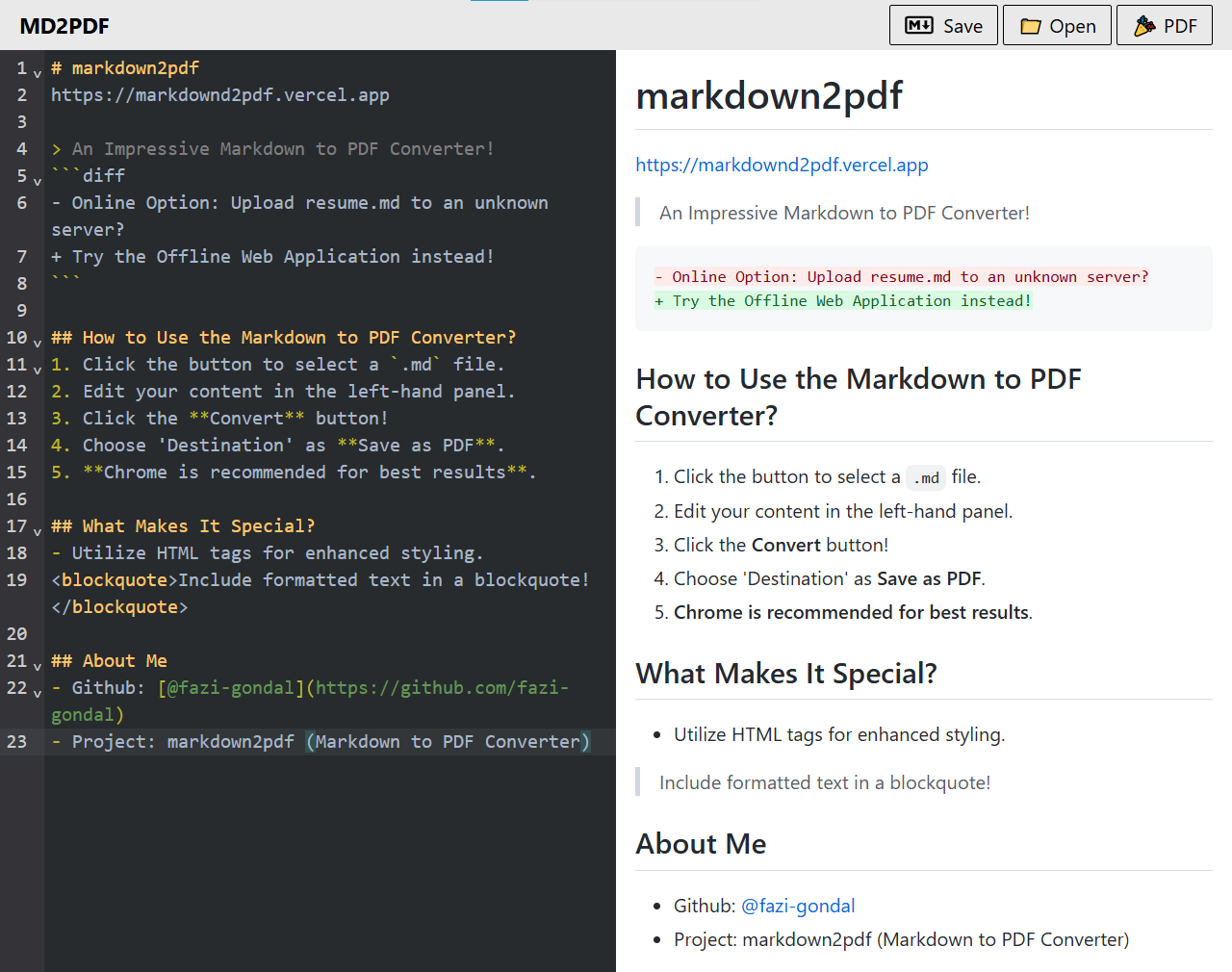
- Online Option: Upload resume.md to an unknown server?
+ Try the Offline Web Application instead!
🚀 Live Demo • ✨ Features • 🛠 Tech Stack • 📦 Installation
📖 Overview
Markdown2PDF is a powerful, privacy-focused web application that converts Markdown files to beautifully formatted PDF documents entirely in your browser. No server uploads, no data tracking - just pure client-side conversion with real-time preview.
🌐 Try it Live
https://markdownd2pdf.vercel.app/
✨ Features
🎯 Core Features
- 📁 File Upload Support - Open and load
.mdfiles directly from your computer - ✏️ Live Markdown Editor - Real-time editing with syntax highlighting powered by CodeMirror
- 👁️ Live Preview - See your markdown rendered instantly as you type
- 📄 PDF Export - Convert your markdown to PDF with a single click using the browser's native print functionality
- 💾 Save Markdown - Save your edited markdown files with smart filename generation based on document headings
- 🔒 Privacy First - All processing happens locally in your browser - no server uploads required
- 📱 Responsive Design - Works seamlessly on desktop and mobile devices with adaptive layouts
🎨 Advanced Formatting Support
- 📊 Mermaid Diagrams - Create flowcharts, sequence diagrams, and other visualizations
- 🧮 Mathematical Equations - Full KaTeX support for LaTeX math rendering
- 📝 GitHub Flavored Markdown - Tables, task lists, and extended markdown syntax
- 🔔 GitHub-Style Alerts - Support for NOTE, TIP, IMPORTANT, WARNING, and CAUTION alerts
- 🎨 Code Syntax Highlighting - Beautiful code blocks with language-specific highlighting
- 🌙 Dark Mode Editor - VSCode Dark theme for comfortable editing
🖥️ User Experience
- ⚡ Fast Performance - Built with Vite for lightning-fast development and optimized production builds
- 🎯 Smart File Naming - Automatically generates filenames from document headings
- 🌐 Print-Optimized - Carefully crafted print styles for professional PDF output
- 📂 Modern File Picker - Native browser file system API support (Chrome/Edge) with fallback for other browsers
🛠️ Tech Stack
Framework & Build Tools
- ⚛️ React 18.2 - Modern UI library with hooks and context API
- ⚡ Vite 7.2 - Next-generation frontend build tool for blazing fast development
Styling
- 🎨 Tailwind CSS 3.4 - Utility-first CSS framework for rapid UI development
- 🔧 PostCSS - CSS processing with autoprefixer
Markdown & Code Editing
- 📝 CodeMirror 6 - Powerful code editor component
@uiw/react-codemirror- React wrapper for CodeMirror@codemirror/lang-markdown- Markdown language support with syntax highlighting@codemirror/language-data- Language support for code blocks@uiw/codemirror-themes-all- VSCode Dark theme and other editor themes
Markdown Rendering
- 📄 @uiw/react-markdown-preview - React markdown preview component
- 🧮 KaTeX - Fast math typesetting library
rehype-katex- Rehype plugin for KaTeX math renderingremark-math- Remark plugin for parsing math in markdown
- 📊 Mermaid 11.10 - Diagram and flowchart rendering from text
Development Tools
- ✅ ESLint - Code linting with React-specific rules
- 💅 Prettier - Code formatting with Tailwind CSS plugin
- 🔍 PropTypes - Runtime type checking for React props
📦 Installation
Prerequisites
- Node.js (v16 or higher)
- npm or yarn package manager
Setup Instructions
Fork the Repository
- Click the 'Fork' button on the top right of the GitHub page
Clone Your Fork
git clone https://github.com/<your-github-username>/md2pdf.git
cd md2pdf
Install Dependencies
npm installStart Development Server
npm run devThe application will be available at
http://localhost:5173Build for Production (Optional)
npm run buildThe optimized build will be in the
distdirectory
👉 How to Use
- 📁 Open a File - Click the "Open" button to select a
.mdfile from your computer - ✏️ Edit Content - Use the left panel to edit your markdown with syntax highlighting
- 👁️ Preview - Watch the right panel update in real-time as you type
- 💾 Save - Click "Save" to download your edited markdown (with smart filename generation)
- 🎉 Convert to PDF - Click the "PDF" button and choose 'Destination' as Save as PDF
💡 Pro Tip: Chrome is recommended for the best PDF export results and native file picker support.
🏗️ Project Structure
md2pdf-main/
├── src/
│   ├── components/       # React components
│   │   ├── Header.jsx           # App header with actions
│   │   ├── MdEditorComponent.jsx    # CodeMirror editor
│   │   ├── MdPreviewComponent.jsx   # Markdown preview
│   │   ├── Mermaid.jsx             # Mermaid diagram renderer
│   │   ├── FileInput.jsx           # File upload handler
│   │   └── PreviewButton.jsx       # Preview toggle (mobile)
│   ├── context/          # React Context for state management
│   ├── hooks/            # Custom React hooks
│   ├── pages/            # Page components
│   ├── utils/            # Utility functions
│   ├── App.jsx           # Main app component
│   ├── main.jsx          # App entry point
│   └── global.css        # Global styles
├── public/               # Static assets
├── index.html            # HTML template
├── tailwind.config.js    # Tailwind configuration
├── vite.config.js        # Vite configuration
└── package.json          # Project dependencies
🚀 Available Scripts
| Command | Description |
|---|---|
npm run dev |
Start development server with hot reload |
npm run build |
Build optimized production bundle |
npm run preview |
Preview production build locally |
npm run lint |
Run ESLint to check code quality |
🎯 Key Technologies Explained
Why React + Vite?
- React provides a component-based architecture for building interactive UIs
- Vite offers instant server start and lightning-fast Hot Module Replacement (HMR)
Why CodeMirror?
- Professional-grade code editor with extensive customization
- Excellent performance with large documents
- Built-in markdown syntax support
Why Client-Side Only?
- Privacy - Your documents never leave your browser
- Offline Capable - Works without an internet connection (after initial load)
- Fast - No server round trips needed
🤝 Contributing
Contributions are welcome! Feel free to:
- 🐛 Report bugs
- 💡 Suggest new features
- 🔧 Submit pull requests
👨💻 Author
Faizan Gondal
- GitHub: @fazi-gondal
- Project: Markdown2PDF
📄 License
This project is licensed under the MIT License - feel free to use it for personal or commercial projects.
Made with ❤️ by Faizan Gondal
⭐ If you find this project useful, please consider giving it a star on GitHub! ⭐