code-with-co
A real-time collaborative coding platform built with MERN stack. Code together, chat live, and build amazing things as a team.
README
Open on GitHub ↗💻 Code with Co - Real-time Collaborative Coding Platform
A full-stack MERN application that enables multiple developers to code together in real-time, featuring live chat, syntax highlighting, and seamless collaboration.


🌟 Features
🔐 Authentication & Authorization
- Secure user registration and login with JWT
- Password hashing with bcrypt
- Protected routes and session management
- Persistent authentication with local storage
👥 Real-time Collaboration
- Multiple users can code simultaneously in the same room
- Live code synchronization across all participants
- Real-time cursor tracking
- Instant updates with Socket.IO WebSockets
🎨 Advanced Code Editor
- Monaco Editor (VS Code's editor engine)
- Syntax highlighting for 8+ languages (JavaScript, Python, Java, C++, C, TypeScript, HTML, CSS)
- Dark/Light theme toggle
- Auto-completion and IntelliSense
- Minimap navigation
- Line numbers and code folding
💬 Built-in Chat System
- Real-time messaging while coding
- Emoji picker support
- Typing indicators
- Message history
- Timestamps and message grouping
🏠 Room Management
- Create public or private rooms
- Password-protected private rooms
- Room settings (language, max participants, visibility)
- Browse and search available rooms
- Filter by programming language
- Join/leave rooms seamlessly
📊 User Interface
- Modern, responsive design (mobile, tablet, desktop)
- Collapsible sidebars
- Fullscreen mode
- User presence indicators
- Toast notifications
- Loading states and error handling
⌨️ Keyboard Shortcuts
Ctrl/Cmd + S- Save codeCtrl/Cmd + Enter- Run codeCtrl/Cmd + F- FindCtrl/Cmd + H- ReplaceAlt + Up/Down- Move line
🔧 Additional Features
- Code version history
- Download code as file
- Copy code to clipboard
- Active user list with status
- Room statistics and analytics
- Creator privileges for room management
🛠️ Tech Stack
Frontend
- React 18 - UI library
- React Router v6 - Client-side routing
- Monaco Editor - Code editor component
- Socket.IO Client - Real-time WebSocket communication
- Axios - HTTP requests
- React Hot Toast - Notifications
- Lucide React - Icon library
Backend
- Node.js - Runtime environment
- Express.js - Web framework
- Socket.IO - Real-time bidirectional communication
- MongoDB - NoSQL database
- Mongoose - MongoDB ODM
- JWT - Authentication
- Bcrypt.js - Password hashing
📁 Project Structure
code-with-co/
├── server/                          # Backend
│   ├── config/
│   │   └── db.js                   # Database configuration
│   ├── models/
│   │   ├── User.js                 # User schema
│   │   ├── Room.js                 # Room schema
│   │   └── Code.js                 # Code & Message schemas
│   ├── routes/
│   │   ├── auth.js                 # Authentication routes
│   │   ├── room.js                 # Room management routes
│   │   ├── code.js                 # Code operations routes
│   │   └── user.js                 # User routes
│   ├── controllers/
│   │   ├── authController.js       # Auth logic
│   │   ├── roomController.js       # Room logic
│   │   ├── codeController.js       # Code logic
│   │   └── userController.js       # User logic
│   ├── middleware/
│   │   └── auth.js                 # JWT authentication
│   ├── socket/
│   │   └── socketHandler.js        # Socket.IO events
│   ├── server.js                   # Entry point
│   ├── package.json
│   └── .env
│
├── client/                          # Frontend
│   ├── public/
│   │   └── index.html
│   ├── src/
│   │   ├── components/
│   │   │   ├── Auth/               # Login, Register
│   │   │   ├── Editor/             # Code editor
│   │   │   ├── Chat/               # Chat components
│   │   │   ├── Room/               # Room settings
│   │   │   └── Shared/             # Navbar, etc.
│   │   ├── pages/
│   │   │   ├── Home.jsx
│   │   │   ├── DashboardPage.jsx
│   │   │   ├── EditorPage.jsx
│   │   │   └── NotFound.jsx
│   │   ├── context/
│   │   │   ├── AuthContext.jsx     # Auth state
│   │   │   └── SocketContext.jsx   # Socket state
│   │   ├── services/
│   │   │   └── api.js              # API configuration
│   │   ├── App.jsx
│   │   ├── App.css
│   │   └── index.js
│   ├── package.json
│   └── .env
│
└── README.md
🚀 Getting Started
Prerequisites
- Node.js (v14 or higher)
- MongoDB (local installation or Atlas account)
- npm or yarn
Installation
Clone the repository
git clone https://github.com/yourusername/code-with-co.git
cd code-with-co
Setup Backend
cd server
npm install
Create
.envfile inserver/directory:PORT=5000 MONGO_URI=mongodb://localhost:27017/code-with-co # Or use MongoDB Atlas: # MONGO_URI=mongodb+srv://username:[email protected]/code-with-co JWT_SECRET=your_super_secret_jwt_key_here_change_in_production NODE_ENV=development CLIENT_URL=http://localhost:3000Setup Frontend
cd ../client
npm install
Create
.envfile inclient/directory:REACT_APP_API_URL=http://localhost:5000 REACT_APP_SOCKET_URL=http://localhost:5000Setup MongoDB
Option A: Local MongoDB
- Install MongoDB from mongodb.com
- Start MongoDB service:
# Windows net start MongoDB # Mac brew services start mongodb-community # Linux sudo systemctl start mongod
Option B: MongoDB Atlas (Recommended)
- Create free account at mongodb.com/cloud/atlas
- Create a cluster (M0 free tier)
- Get connection string and update
MONGO_URIinserver/.env
▶️ Running the Application
Development Mode
Terminal 1 - Backend:
cd server
npm run dev
Terminal 2 - Frontend:
cd client
npm start
The application will open at http://localhost:3000
Production Build
Build Frontend:
cd client
npm run build
Run Backend:
cd server
npm start
📖 Usage
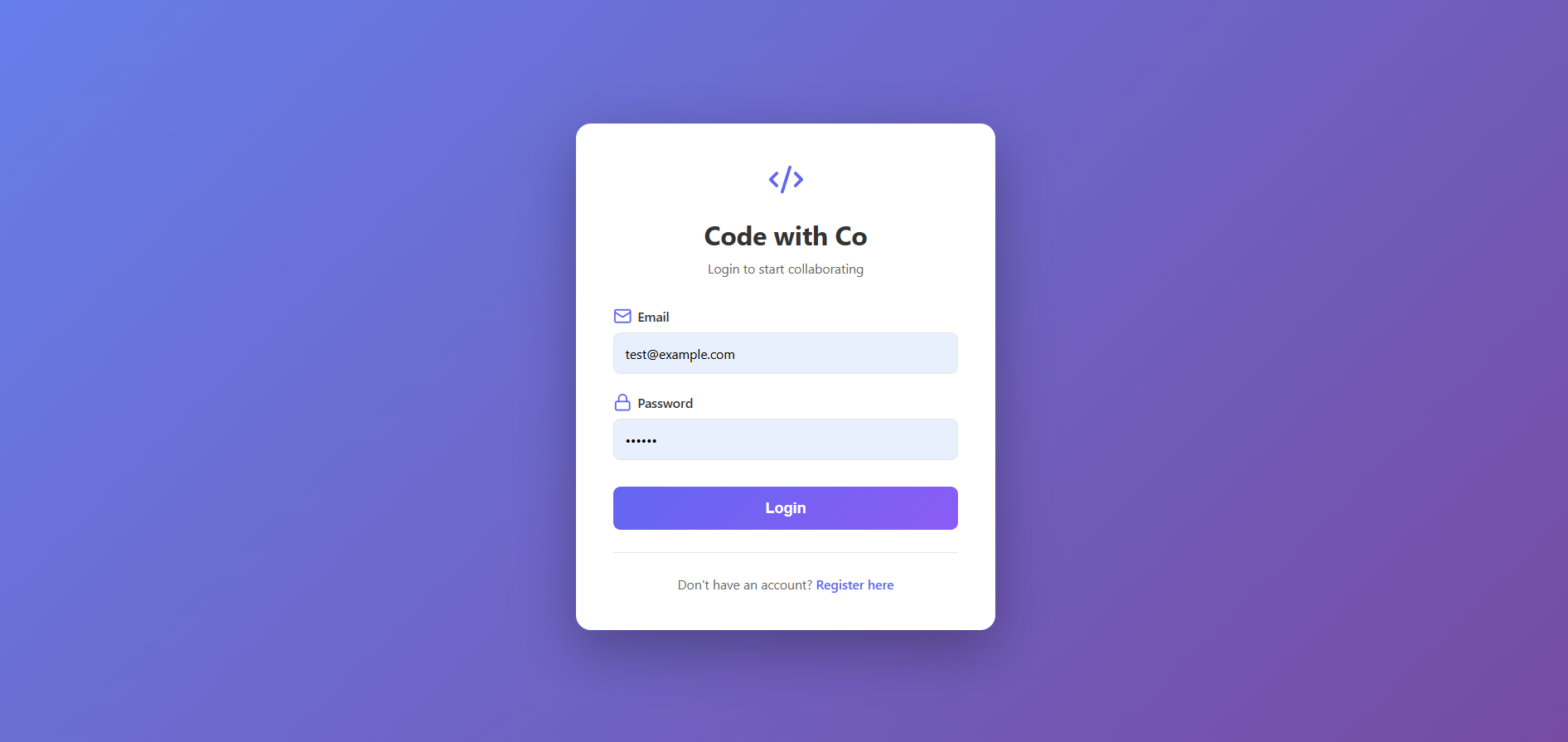
Register/Login
- Create a new account or login with existing credentials
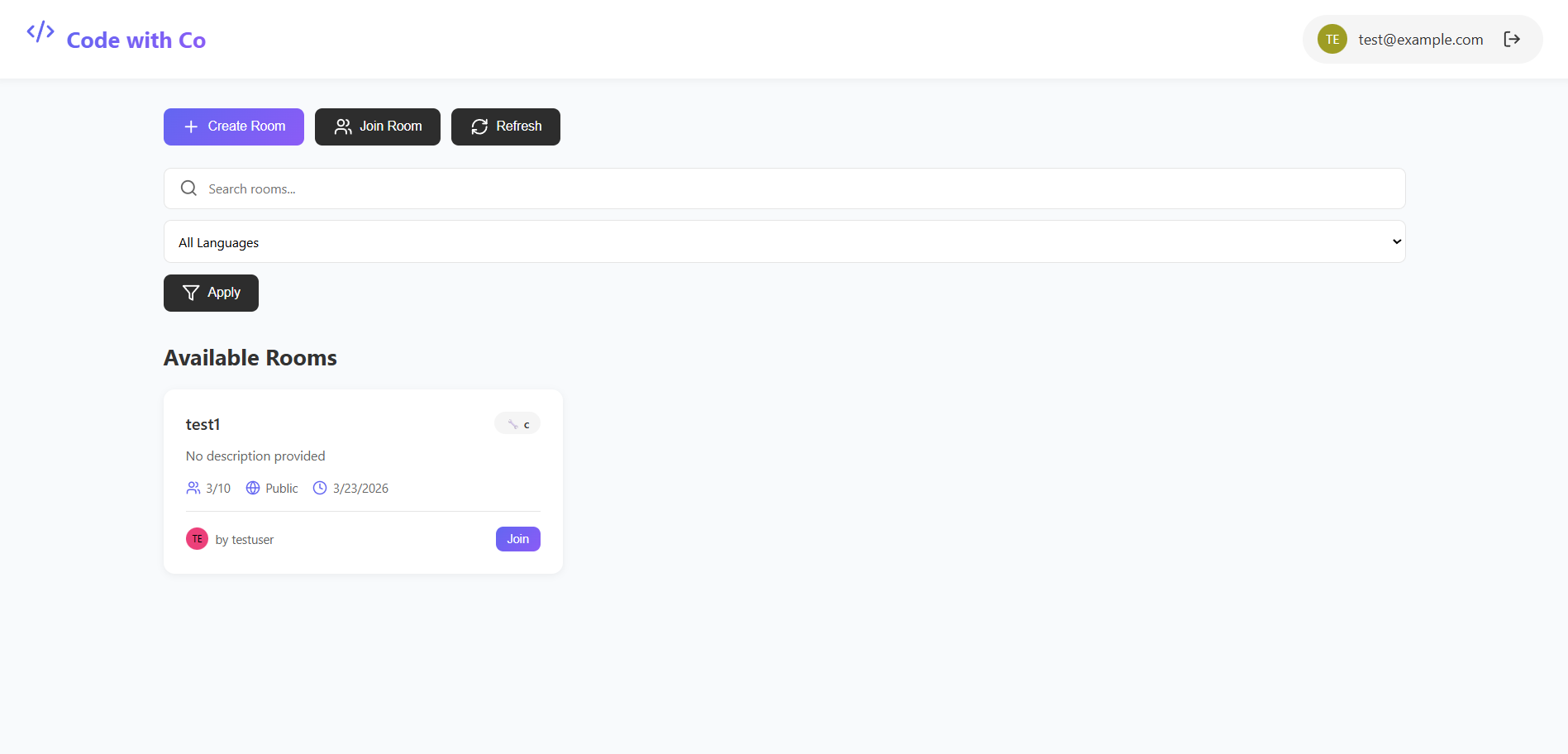
Dashboard
- Browse available public rooms
- Search and filter rooms by language
- Create a new room or join existing ones
Create Room
- Set room name and description
- Choose programming language
- Select public/private visibility
- Set maximum participants
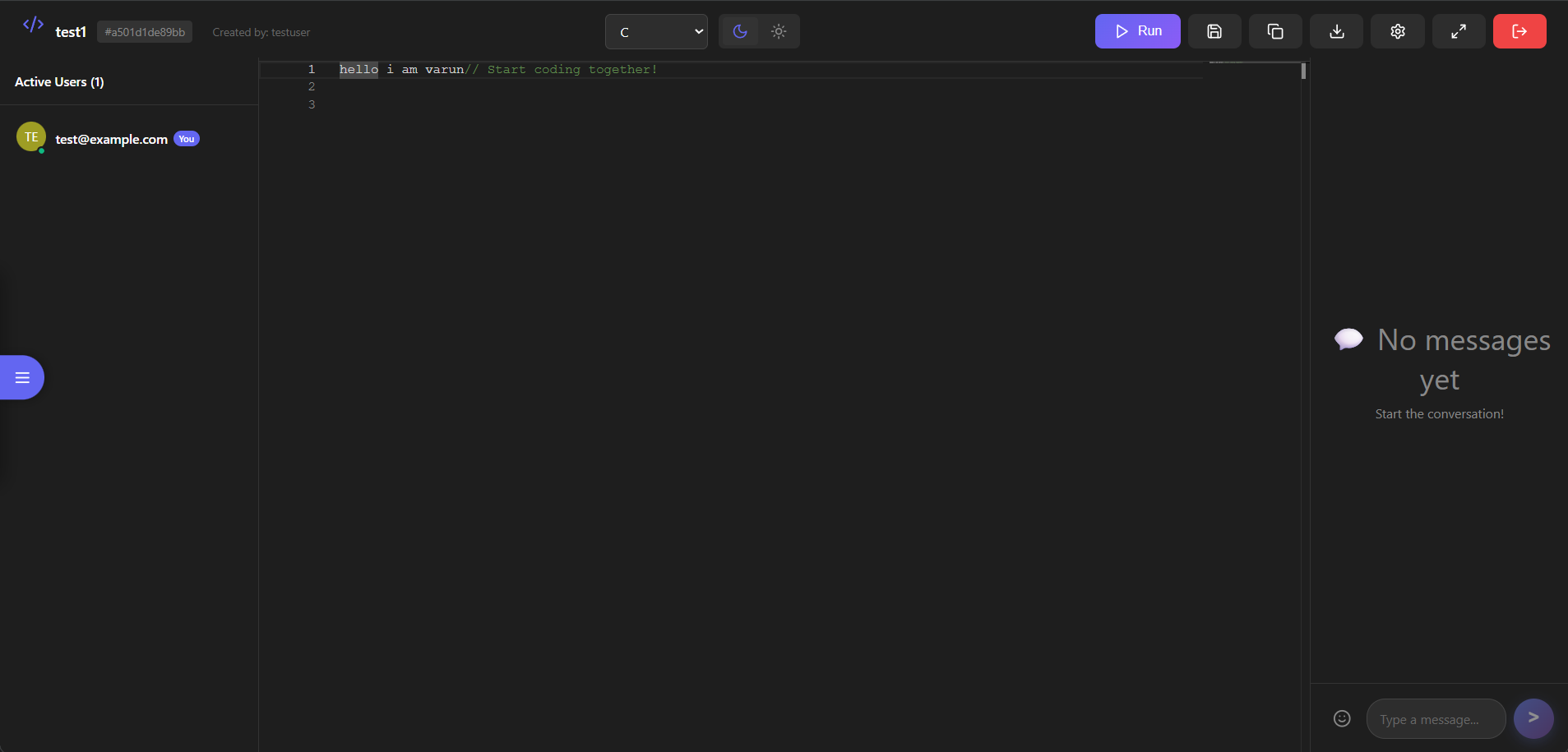
Collaborative Coding
- Type code in the editor
- See real-time changes from other users
- Chat with collaborators
- Save code versions
- Download or copy code
Room Management
- Update room settings (creator only)
- View active participants
- Leave or delete room
🔧 Configuration
Environment Variables
Server (server/.env):
PORT=5000
MONGO_URI=your_mongodb_connection_string
JWT_SECRET=your_jwt_secret_key
NODE_ENV=development
CLIENT_URL=http://localhost:3000
Client (client/.env):
REACT_APP_API_URL=http://localhost:5000
REACT_APP_SOCKET_URL=http://localhost:5000
🧪 Testing
Test Real-time Collaboration
- Open two browser windows
- Register different users in each
- Create a room in one window
- Join the same room in the second window
- Type code and see it sync instantly!
Test Chat
- In the editor, use the chat box on the right
- Send messages between users
- Try emojis and typing indicators
📊 API Endpoints
Authentication
POST /api/auth/register- Register new userPOST /api/auth/login- Login userGET /api/auth/me- Get current userPUT /api/auth/profile- Update profile
Rooms
GET /api/rooms- Get all public roomsGET /api/rooms/:roomId- Get room by IDPOST /api/rooms- Create new roomPUT /api/rooms/:roomId- Update roomDELETE /api/rooms/:roomId- Delete roomPOST /api/rooms/:roomId/join- Join roomPOST /api/rooms/:roomId/leave- Leave room
Code
POST /api/code/save- Save code versionGET /api/code/history/:roomId- Get code history
Users
GET /api/users/:username- Get user profileGET /api/users/search- Search users
🔌 Socket Events
Client to Server
join-room- Join a coding roomleave-room- Leave a roomcode-change- Send code updateslanguage-change- Change programming languagesend-message- Send chat messagetyping-start- Start typing indicatortyping-stop- Stop typing indicator
Server to Client
room-joined- Confirmation of room joinuser-joined- New user joined notificationuser-left- User left notificationcode-update- Receive code changeslanguage-updated- Language change notificationnew-message- Receive chat messageuser-typing- User typing notificationerror- Error messages
🎨 Customization
Add New Programming Language
- Update language list in
EditorPage.jsx - Add language option in Room model
- Monaco Editor supports 60+ languages out of the box
Change Theme Colors
Edit CSS variables in App.css:
:root {
--primary: #6366f1;
--secondary: #8b5cf6;
/* Add your colors */
}
🐛 Troubleshooting
MongoDB Connection Failed
- Verify MongoDB is running
- Check
MONGO_URIin.env - For Atlas, whitelist your IP address
Port Already in Use
- Change
PORTinserver/.env - Kill process using the port
WebSocket Connection Failed
- Verify backend is running
- Check CORS settings in
server.js - Verify Socket URLs in
client/.env
🚀 Deployment
Frontend (Vercel/Netlify)
cd client
npm run build
# Deploy build/ folder
Backend (Heroku/Railway)
cd server
# Push to platform
# Set environment variables
Database
- Use MongoDB Atlas for production
- Update
MONGO_URIwith production credentials
🤝 Contributing
Contributions are welcome! Please follow these steps:
- Fork the repository
- Create a feature branch (
git checkout -b feature/AmazingFeature) - Commit your changes (
git commit -m 'Add some AmazingFeature') - Push to the branch (
git push origin feature/AmazingFeature) - Open a Pull Request
📝 License
This project is licensed under the MIT License - see the LICENSE file for details.
👨💻 Author
Your Name
- GitHub: @dshivasaivarun-lgtm
- LinkedIn: Shiva Sai Varun Dharoor
- Email: [email protected]
🙏 Acknowledgments
- Monaco Editor by Microsoft
- Socket.IO for real-time communication
- MongoDB for database
- React community
- All contributors
📞 Support
For support, email [email protected] or open an issue on GitHub.
🗺️ Roadmap
- Code execution engine integration
- Video/Audio chat support
- File upload and sharing
- AI code suggestions
- Screen sharing
- Code review features
- Analytics dashboard
- Mobile app (React Native)
- VSCode extension
- GitHub integration
📸 Screenshots
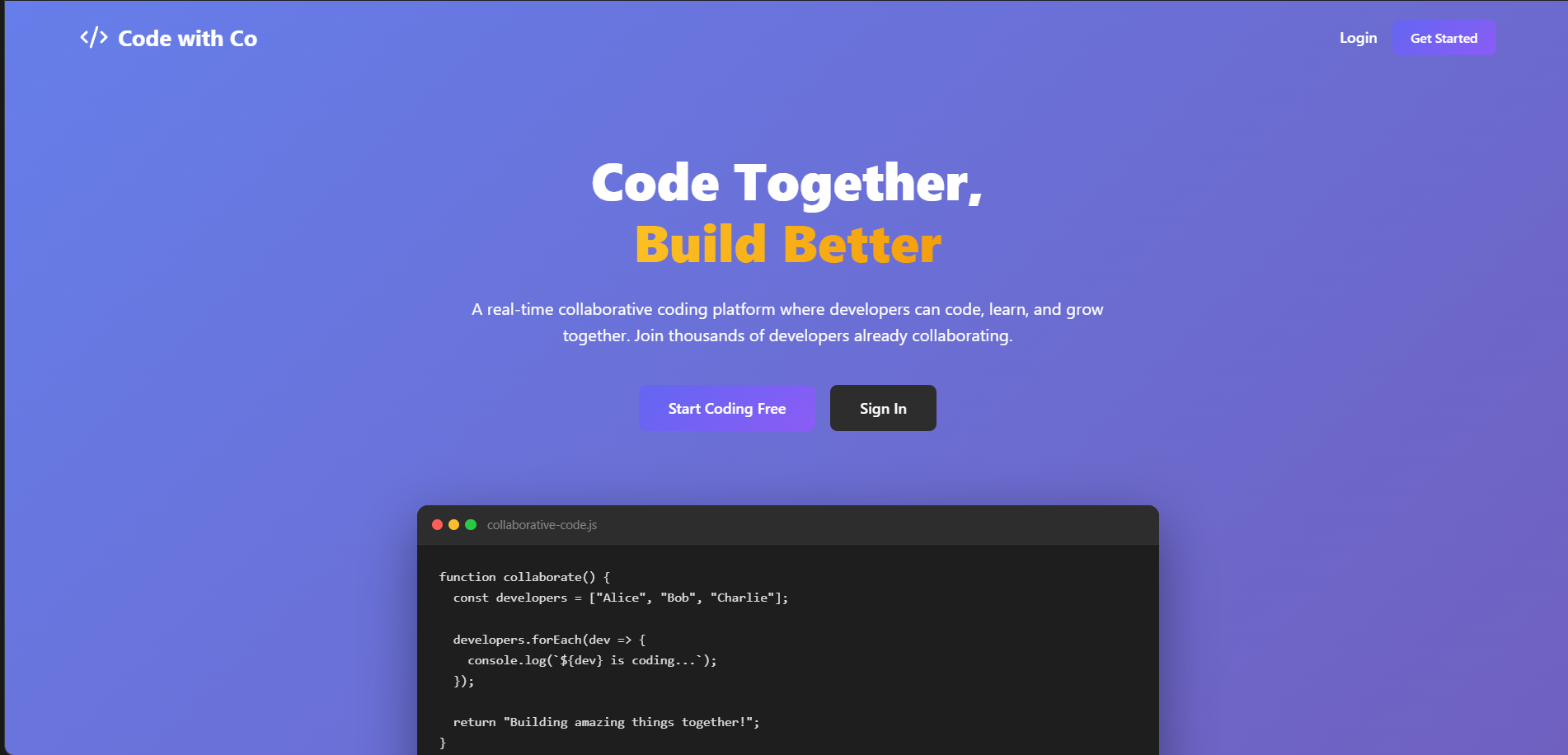
Home Page
Login Page
Dashboard
Room
⭐ Star History
If you like this project, please give it a ⭐ on GitHub!
Built with ❤️ using MERN Stack