splashy-badge
A motion-reactive 3D water tank with your name in it, for the GitHub Universe 2026 badge 💧
README
Open on GitHub ↗Splashy Badge 💧
A motion-reactive 3D water tank for the GitHub Universe 2026 badge. Tilt the
badge to slosh the water, then drop your handle, title, and pronouns in as
floating 3D letters (and lots of little Monas).
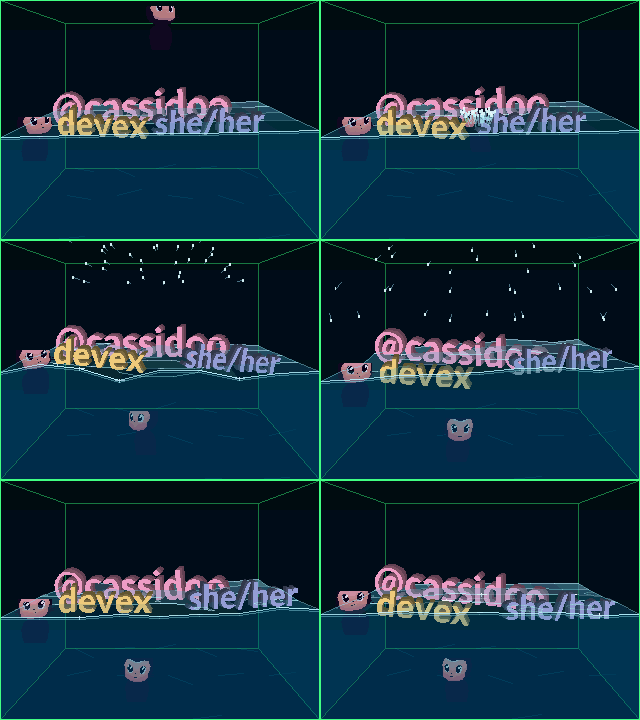
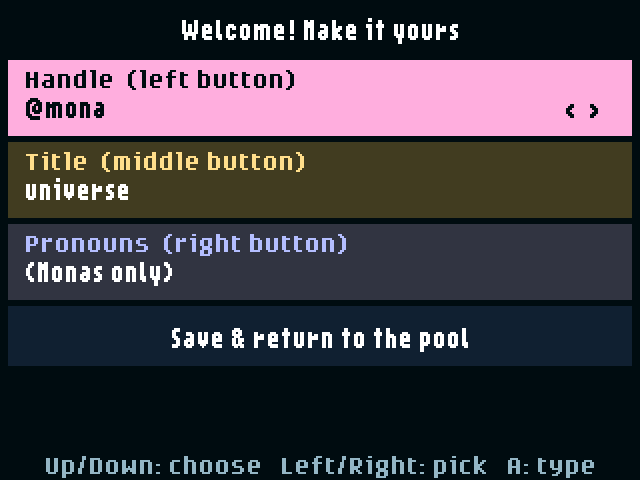
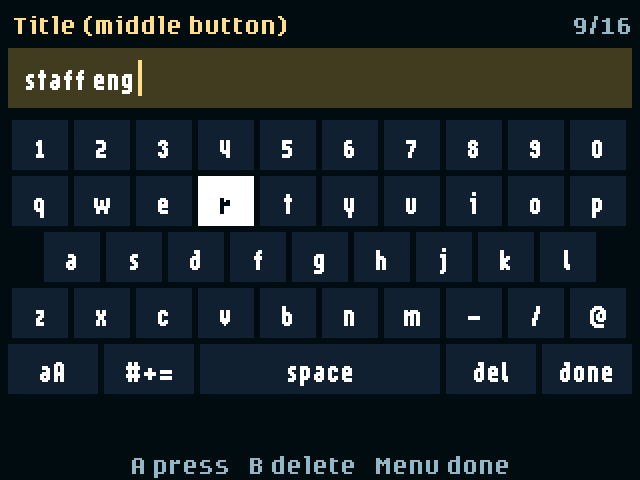
| First launch | On-badge keyboard | Icon |
|---|---|---|
 |
 |
 |
Install
Plug your badge into your computer with a USB-C data cable, then give
GitHub Copilot (or another coding agent) this prompt:
Install Splashy Badge from https://github.com/cassidoo/splashy-badge onto my GitHub Universe 2026 badge, which is connected over USB. Follow the instructions in that repository.
It takes about two minutes and only adds Splashy Badge. Your other apps and
settings are left alone. Copilot will ask whether you also want the white
water-droplet icon on the badge's home menu.
Prefer to do it yourself? See the
manual install steps.
Play
Open Splashy Badge from the badge menu. The first time, setup opens so you
can make it yours: your handle starts as the badge's GitHub username.
| Control | Action |
|---|---|
| Tilt the badge | Slosh the water and shift the tank's perspective |
| Right-side Up / Down | Raise / lower the water |
| Bottom Left / Right / Select | Drop your handle / title / pronouns. Each word drops once; after that, the button drops a Mona |
| Touch D-pad | Blow wind |
| Touch A | Clear the pool |
| Touch B | Change the tank edge color |
| Touch Menu | Open setup |
| Home | Back to the badge menu |
In setup, Up / Down choose a line, Left / Right cycle presets, and A opens an
on-screen keyboard (B deletes, Menu finishes typing). Pick Save & return, or
press B or Menu, to save and go back to the pool. Leave a label blank to have
that button drop only Monas. Your labels are saved on the badge, so they
survive restarts.
Want to know more?
TECHY_README.md covers the installer, development tools,
and how the water physics and 3D rendering work. Coding agents follow
AGENTS.md.